Portals · by profile
B2B self-service portal: the ordering portal buyers actually adopt
A large share of B2B orders is repetition: the buyer already knows what they want. Routing that order through a rep is expensive for the seller and slow for the buyer. B2B Digital Selling moves that flow to a self-service B2B portal, without giving up a single rule.
In short
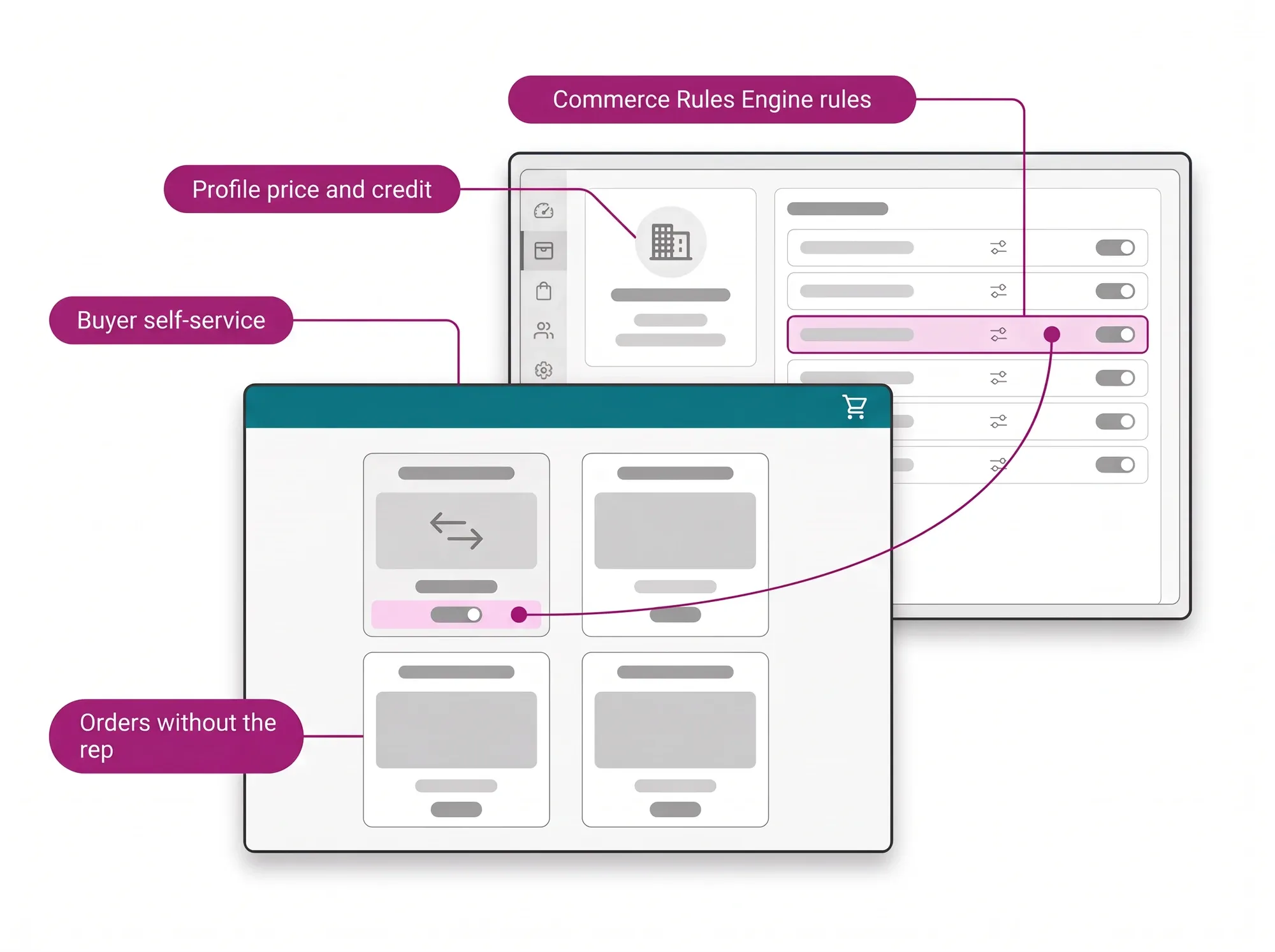
A B2B self-service portal is the ordering portal where a business customer places its own orders, without waiting on a sales rep for routine reorders. On CWS Platform, it opens with that buyer's price list, credit and terms, calculates tax and freight on the order, and applies the same margin rules as assisted selling, through the Commerce Rules Engine.
- Credit as a native payment method, with Net Terms 30/60/90. Source: Credit-First B2B Checkout.
- Complex negotiation stays with the sales rep, on the same core and under the same rules. Source: sales rep software (Sales Hub).
- In auto parts, buyers build orders of more than 250 SKUs, with taxes, freight and credit calculated in seconds. Source: auto parts ecommerce platform.
- When the assortment has to grow faster than stock, the portal grows into a marketplace. Source: governed B2B marketplace platform.
Placing an order on terms without leaving the portal is one of the criteria in the guide to choosing a B2B ecommerce platform.
Why this self-service gets adopted, and the earlier ones didn't
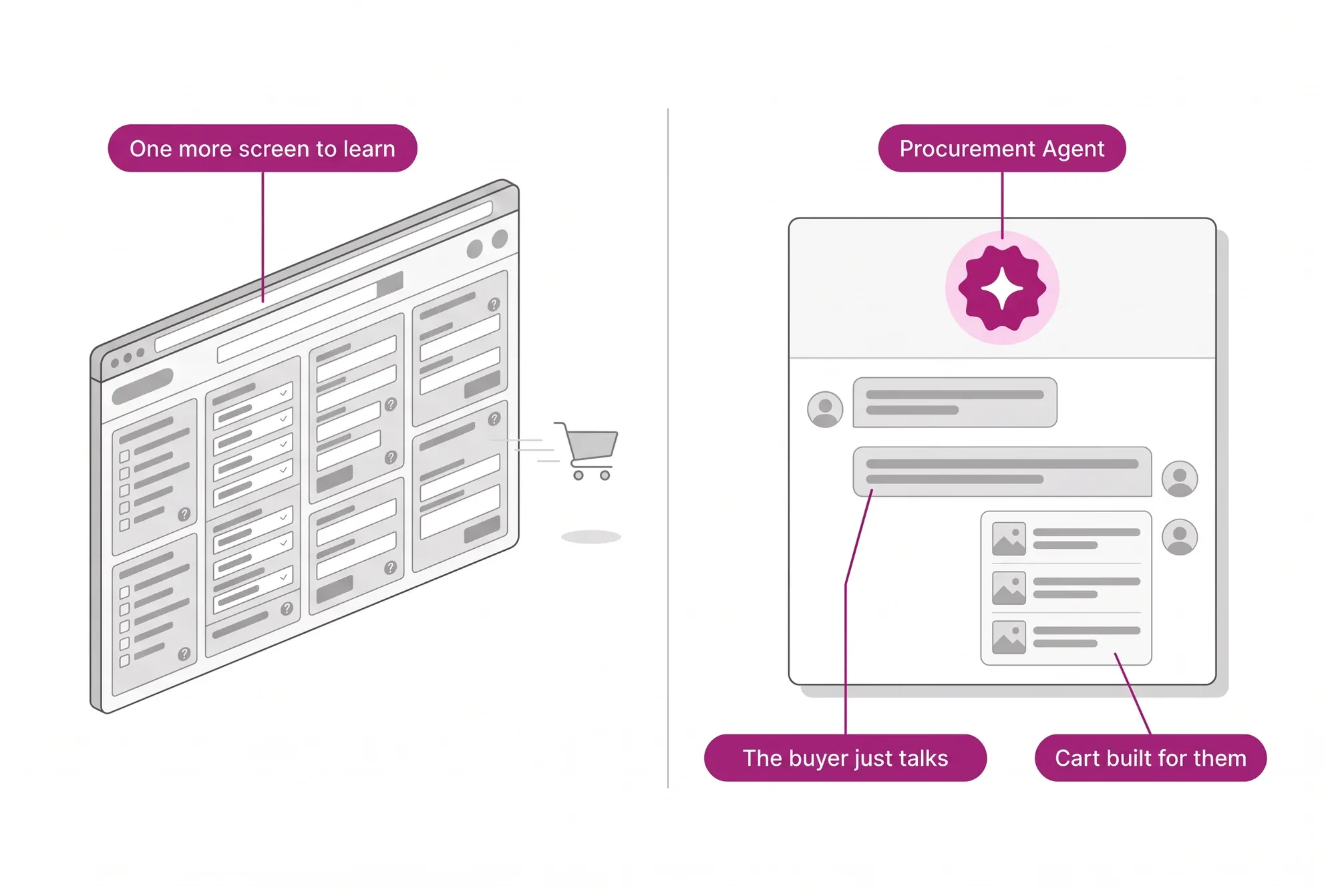
Many companies have already invested in a B2B portal and watched adoption stay low, because it was one more interface for the buyer to learn. Here the logic flips: the Procurement Agent runs the semantic search, compares, builds the cart and suggests the reorder. The buyer has a conversation instead of memorizing a screen.
B2B Digital Selling in 1 minute
AI-generated voice and imagery.
Routine orders leave the rep's desk
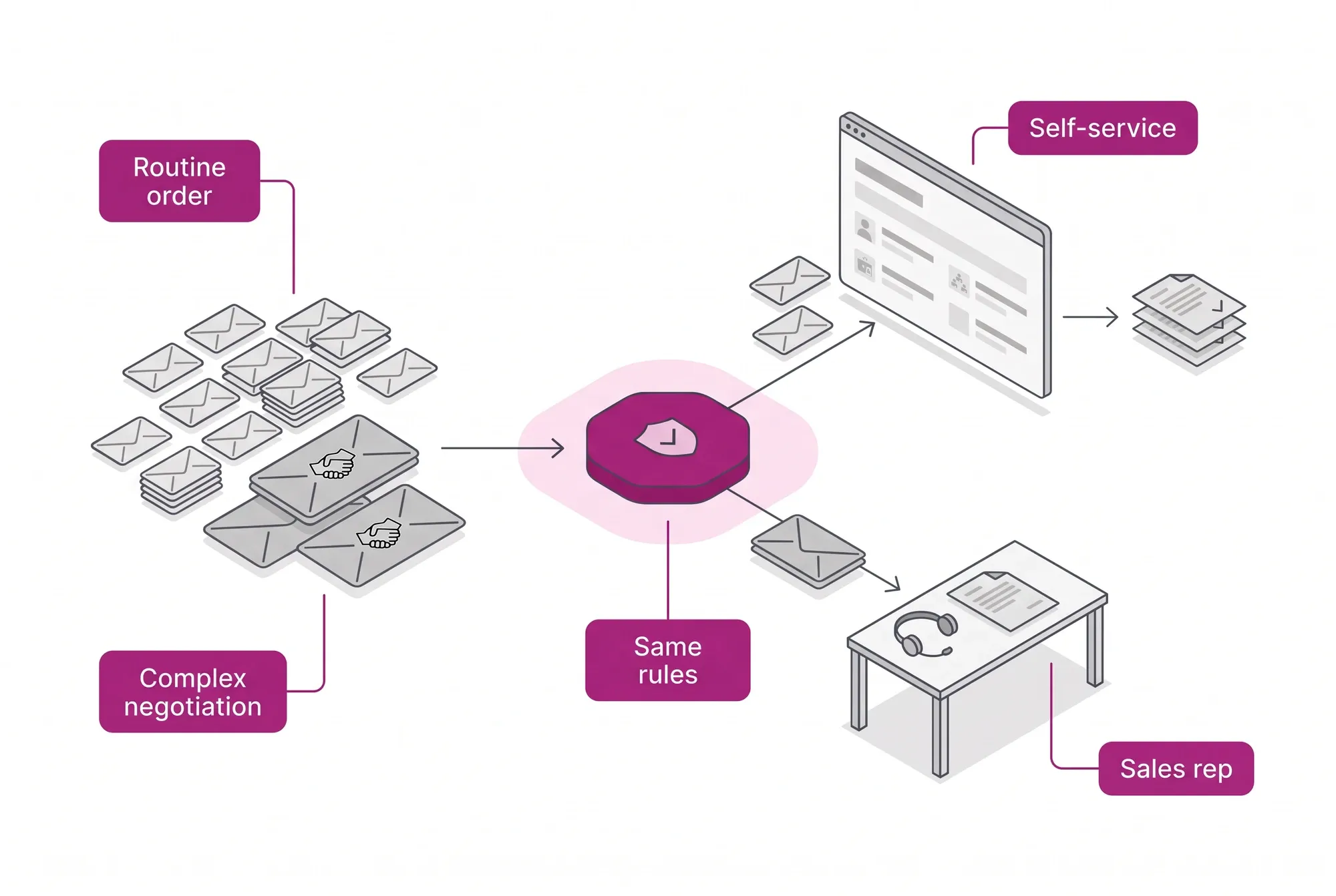
Every digital order goes through the same Commerce Rules Engine rules: contextual price by profile and warehouse, credit as native payment (Net Terms) with the 4-Point Checkout Validation, and the margin guardrails. The rep stops processing the repetitive work and is freed for what the machine can't do: relationships and complex negotiation.
For the buyer
Real autonomy: they find the part by context, see their own price and their own credit, and close outside business hours, without depending on someone to serve them.
For the CFO
The cost to serve the small order drops, and margin stays protected by rule: every concession has a Reason Code, and tax comes out right at the source.
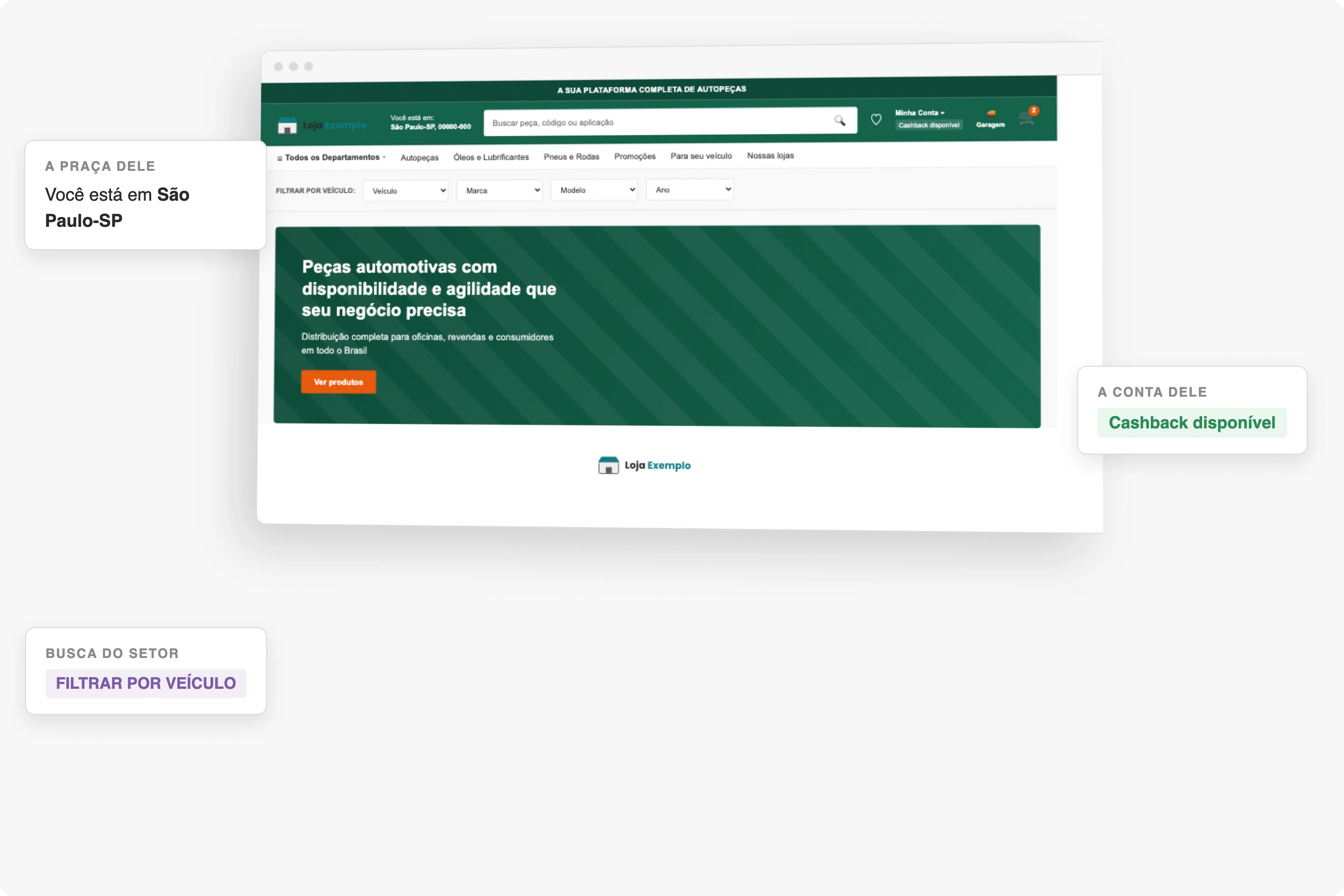
The buyer serves themselves, in a store that is already theirs
The storefront home through the eyes of a signed-in buyer: the delivery region, the account's cashback and the vehicle filter, all before the first click.
- The region is already appliedAvailability and lead time depend on where the buyer is, and that enters the bar before the search does.
- The account is theirs, not a sessionAvailable cashback shows at the top: the portal recognizes the customer, not just the browser.
- Search in the industry's vocabularyIn auto parts nobody searches by SKU: they search by vehicle, and the filter opens by vehicle.
This is self-service happening. The store is not one window for everyone with login bolted on afterwards: it opens with the buyer's region and account already applied, which is the difference between a B2B portal and a brochure site with a catalog.
In real production · Imdepa
On Imdepa's B2B portal, the buyer builds an order of more than 250 SKUs and the platform calculates taxes, freight and pre-approved credit in seconds. Self-service led to 3x more customers activated in three years, without growing the team in the same proportion.
Read the Imdepa case →And when the negotiation is complex?
That's where Assisted Selling comes in: the same Core, with the rep in front.
The variations this profile covers9
All of them come from the same dynamic template, by configuration rather than new code. It is why the portal is a product and not a project.
- Price visible by profile
- A reseller sees wholesale, a consumer sees retail, and the segmentation happens at identification, without anyone releasing a table for each new account.
- Catalog and quote
- Hidden-price mode: the buy button gives way to a quote request, and an item without balance opens demand capture instead of disappearing.
- Wholesale and retail in one portal
- Individuals and companies buy at the same address, and each one loads their own terms on entry.
- Full tax checkout
- Interstate tax, state registration and rural taxation calculated from the real origin of the warehouse that will invoice.
- Recurring purchase
- Saved carts and quick lists turn replenishment into a few clicks, and the link can go by message for the buyer to complete.
- Bulk ordering
- Batch entry by technical code, with real-time item-by-item validation, for buyers who order hundreds of lines at a time.
- Seller present, in light mode
- The portal is self-service, but the seller appears with a name, a photo and a conversation available. It humanises without operating every order.
- Native invoiced credit
- The credit limit is a payment method at checkout, with terms. A customer with an outstanding balance sees a restricted offer, and a blocked one cannot close.
- Regional rules and multi-warehouse
- Price by warehouse, tax by origin, and the option to serve outside the standard logistics radius when the opportunity justifies it.
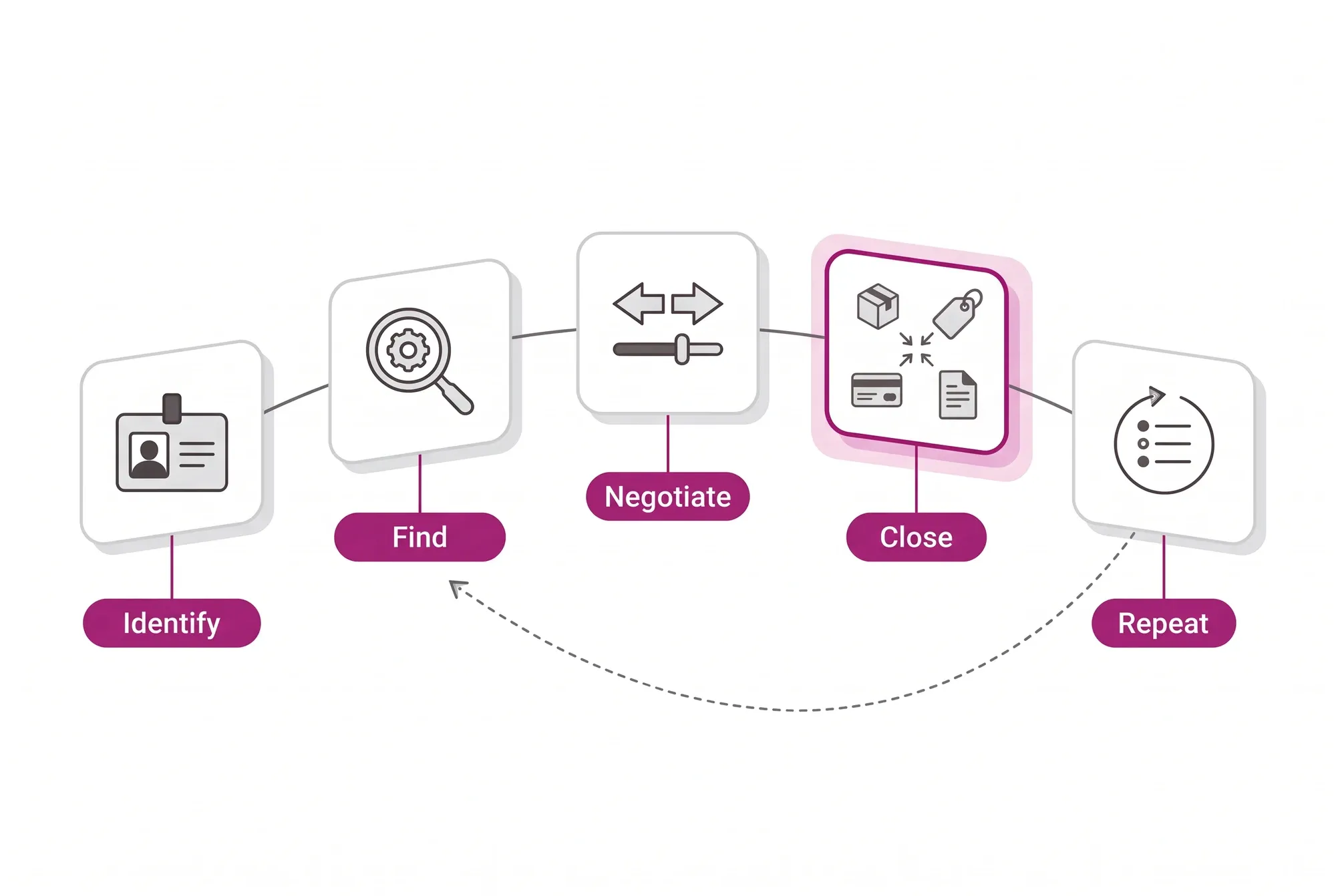
The buyer's journey, and where it usually breaks5
- Identify
- The buyer arrives and the portal already knows who they are: price table, cluster, credit and terms load together. Without this, the rest of the journey is a quote to be checked.
- Find
- Search by manufacturer code, partner code and technical attribute, because in a technical catalog the buyer searches by the code they have in hand.
- Negotiate
- Volume, terms and composition change the price on screen, within thresholds. This is where a fixed-price catalog sends the buyer back to the phone.
- Close
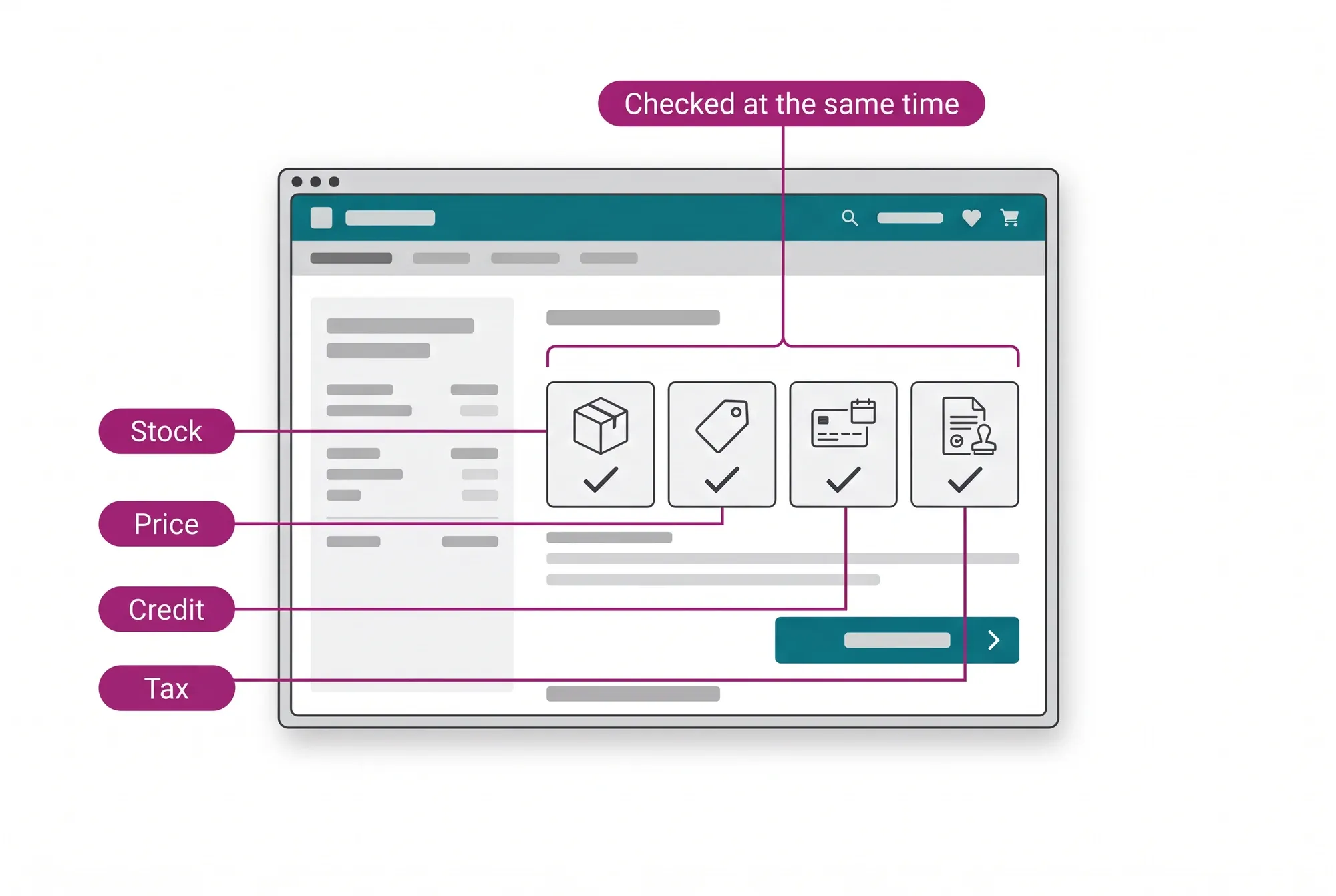
- Stock, price, credit and tax verified at the same time, not one at a time. Sequential validation is the most common cause of abandoned B2B carts.
- Repeat
- Reordering comes from history, not from a fresh search. Routine orders leave the seller's desk, freeing time for the negotiation that needs them.
Frequently asked questions
What does the B2B buyer's journey look like inside the portal?
There are five steps, and the one that fails most often in a generic portal is the first. The buyer identifies themselves and the portal already loads price table, cluster, credit and terms; they find the item by manufacturer code, partner code or technical attribute; they negotiate volume, terms and composition with the price changing on screen within thresholds; they close with stock, price, credit and tax verified at the same time rather than one at a time; and they reorder from history, without redoing the search.
My buyer won't want to learn yet another system.
And they don't have to. The Procurement Agent runs the semantic search, compares, builds the cart and suggests the reorder. The buyer has a conversation and finds the part by context, instead of memorizing a screen.
Doesn't self-service cannibalize my rep's sales?
No. It takes the routine order off the rep's desk and frees the rep for complex negotiation and relationships. Margin, credit and approval limits stay governed by the Commerce Rules Engine, the same as in assisted selling.
How do credit and tax come out right in self-service?
Through the Credit-First B2B Checkout: credit as native payment (Net Terms 30/60/90) and the 4-Point Checkout Validation, which checks inventory, credit, tax and price at the same time before letting the order move forward.
What is a B2B self-service portal?
A B2B self-service portal is the channel where a business customer places its own orders, at any hour, without waiting on a sales rep for reorders. A portal that works opens with that customer's price list, credit and terms, and closes with tax and freight calculated on the order, instead of sending back a quote for someone to check.
Are a B2B self-service portal and a B2B ordering portal the same thing?
On CWS Platform, yes: the ordering portal is where the buyer serves itself on routine orders and reorders, with its own price, credit and terms. Complex negotiation stays with the sales rep, in assisted selling, on the same core and under the same rules.
What is the difference between a B2B portal and an online store?
An online store shows the same price to everyone and waits for the click. The CWS Platform B2B portal shows that customer's price, accepts credit as payment, checks stock, tax and price together and lets the negotiation happen inside the rules, because in B2B a sale is a negotiation, not a click.
What is a distributor portal?
A distributor portal is a B2B portal run by a distributor for its own customers, usually resellers and retailers, to order from its catalog on their negotiated terms. On CWS Platform it is the same portal described here: each buyer sees its own price and credit, and routine reorders leave the rep's desk.
What integrations does a B2B portal need?
The ERP first, because it holds price, stock, credit and invoicing. CWS Platform orchestrates over the ERP through APIs and webhooks instead of replacing it, and publicly associated integrations include SAP, TOTVS, Senior and Sankhya.