commercetools vs. CWS Platform: how do B2B order approvals work for sales?
Buyer approval in up to five stages, Intake turned on through a support request, and the sales rep's discount approvals, from the sales side.

Editorial note: an architecture comparison between commercetools and CWS Platform, written for those who answer as VP of Sales. Every fact about commercetools comes from its public documentation, with the address next to it.
Anyone who leads sales at a distributor knows the order that does not close for lack of a signature. The customer wants to buy, the rep has negotiated, the product is in stock, and the order sits in an approval queue somewhere. Sometimes on the customer's side, because the buyer needs a manager to sign off. Sometimes on your side, because the discount went past what the rep can grant alone.
Both queues look the same in the pipeline report, but they are different decisions. One is the buyer's governance. The other is the governance of your margin. And there is a third, less visible queue: the order that arrives by email, in a spreadsheet, or as a PDF, and waits for someone on the sales team to key it in.
This comparison looks at commercetools and CWS Platform from that angle only: who approves what, how many stages an order can go through, and how an order that arrives outside the portal gets into the system. It is not a feature ranking. The overall map of models is in the post on the three B2B commerce platform models.
What commercetools does well
commercetools treats buyer approval as a declared rule. Approval Rules combine order criteria, such as currency, country, and total price, with the roles of who requests and who approves. When an order matches an active rule, the platform generates the Approval Flow on its own, and the flow tracks who still needs to approve at each tier.
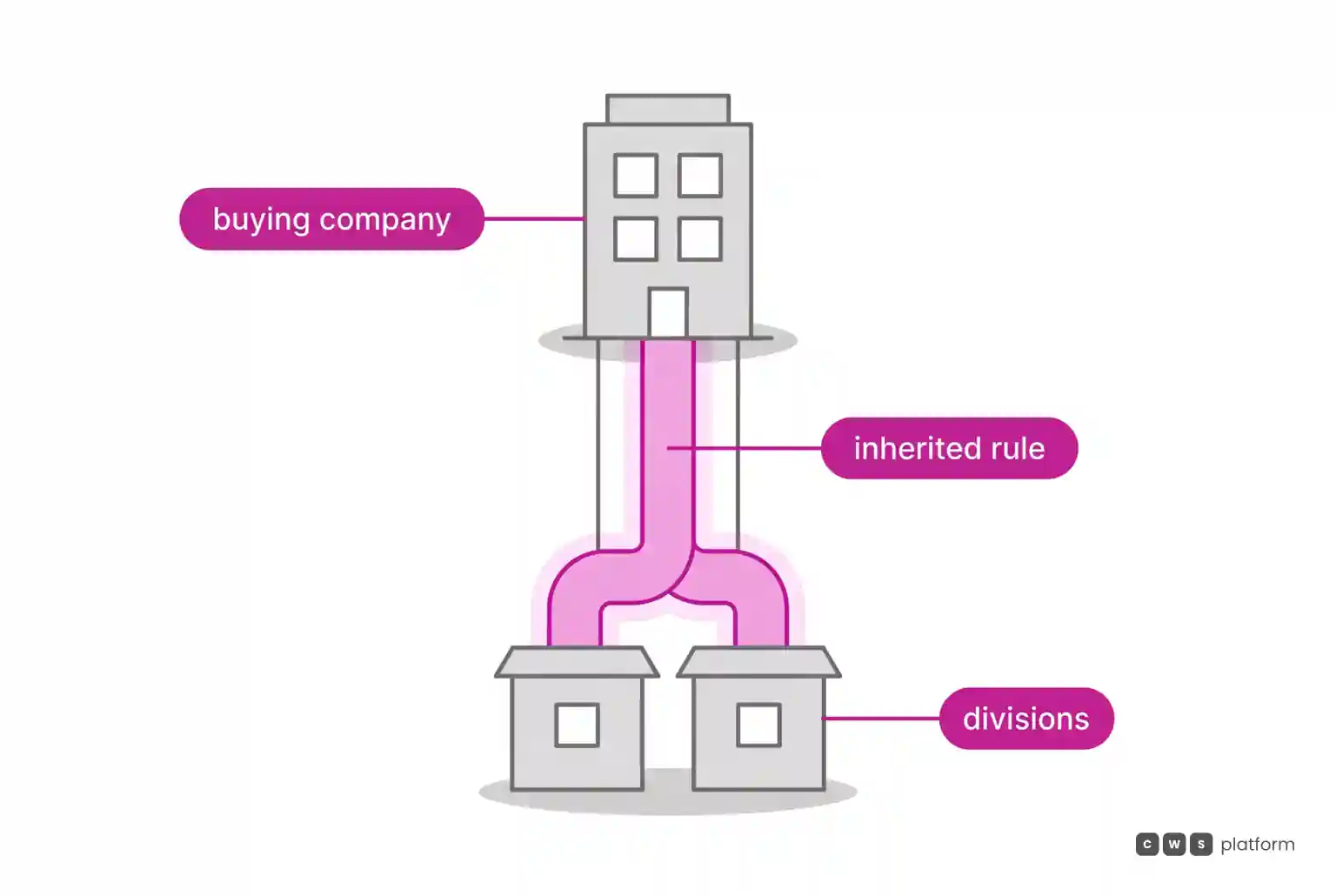
In the sample portal, the front-end approvals guide shows approver tiers combined with AND and OR operators between roles. Rules can be inherited by units lower in the Business Units hierarchy, which spares the customer from repeating the setup at every division.
For negotiation, the Quotes overview describes the path from quote request to binding quote, with the sales rep adjusting items, quantities, validity, and a direct discount in the Staged Quote. And for orders that arrive as free text, Intake converts messages and files, such as PDFs, spreadsheets, or emails, into a cart, a quote request, or a shopping list.
Where the architecture diverges
The divergence that matters to sales is in two places: how many stages approval allows, and how much effort it takes to turn on the feature that brings outside orders in. The vendor's own documentation records both:
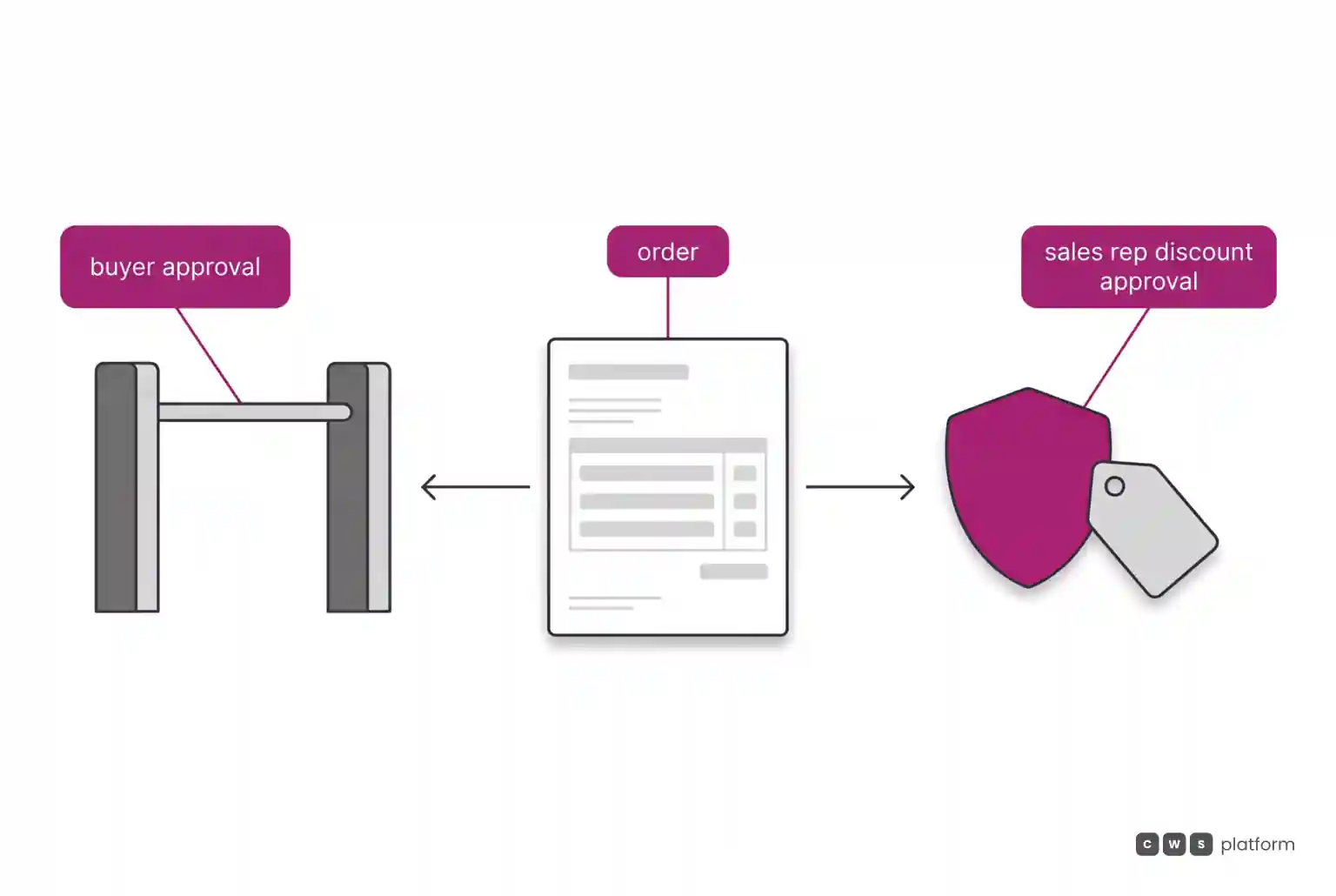
- limitation recorded in the vendor's documentation, accessed on October 16, 2026: with up to five levels per Approval Rule, an order can pass through a maximum of five sequential approval stages ("With up to five levels per Approval Rule, an Order can pass through a maximum of five sequential approval stages.", https://docs.commercetools.com/api/associates-overview)
- limitation recorded in the vendor's documentation, accessed on October 16, 2026: to enable Intake for a project, you must submit a support request that includes the project key ("To enable Intake for a Project, submit a support request that includes the Project key.", https://docs.commercetools.com/offering/intake)
The first record concerns the customer's approval structure. Per the Approval Flows documentation, an order is approved only when every required approver across every applicable rule approves, and a single rejection rejects the whole flow. For sales, that shapes cycle time: each additional tier is one more possible point of waiting, and a rejection at any tier ends the whole flow.
The second record concerns the pace of adoption. The feature that turns a customer's email into a cart is an Add-On, and turning it on goes through a support request. It is not a large technical barrier, but it is a step that is not in the sales team's hands.
There is also a question the Approval Rules documentation does not answer, because it is not its subject: the rules it describes are on the buyer's side, among the account's associates. Governance of your sales rep's discount is a separate layer, and it is worth asking any vendor where it lives.
On CWS Platform, the sales rep's discount goes through multi-level approvals, and commercial policy sits in parameters of the Commerce Rules Engine (CDL Workspace). A sales rep can build a cart, with the items and the source of each one, and send the link for the customer to complete the purchase.
| decision | commercetools, per the documented mechanism | CWS Platform |
|---|---|---|
| Which approval is documented | Buyer approval through Approval Rules, with up to five levels per rule and at most five stages per order | Sales rep discount approvals, with multi-level sign-off |
| How an order that arrives outside the portal gets in | Intake, an Add-On enabled through a support request, converts text and files into a cart or quote | The sales rep builds the cart with the items and the source of each one and sends the link for the customer to complete |
The commercial decision is where your margin governance will live, and who has to be called in to change how orders arrive.
What changes in operations, through the VP of Sales lens
Sales incentives without a price band and a clear approval threshold turn into case-by-case negotiation, where the rep who gives away the most discount and the rep who protects margin look alike in the report. Approval exists to tell them apart. The trouble starts when it delays the order more than it protects the margin.
Three questions help bring this point into any evaluation. First: is the approval the platform documents the buyer's, the rep's, or both, and where is each one configured. Second: how many stages can an order go through, and what happens to it when someone rejects it midway. Third: who on your team can turn on or change the feature that brings outside orders in, and how long that takes.
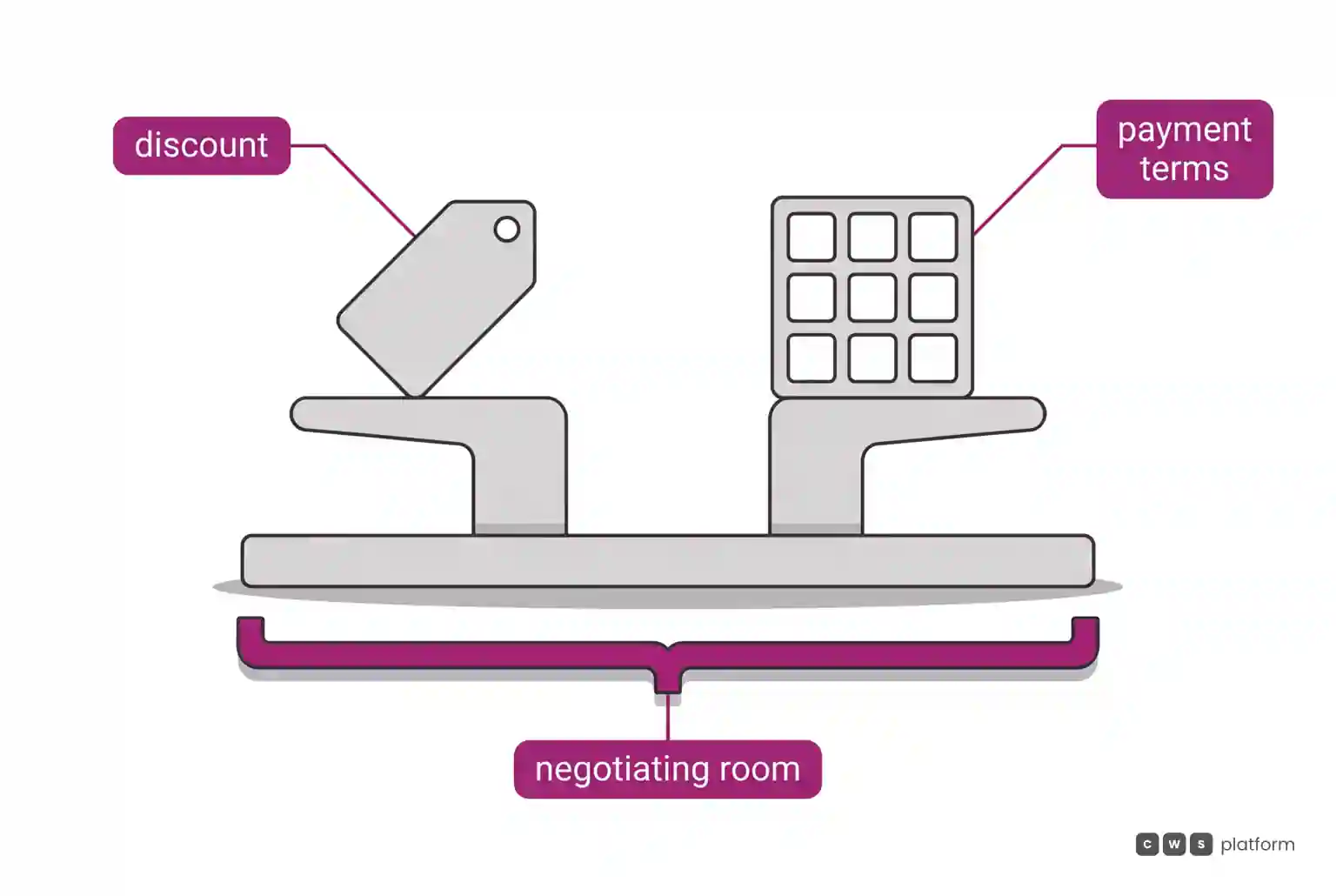
For a seller, discount and payment terms are the same currency. A rep who can only move one lever will push it to the limit. That is why the approval question is not only about discount: it is about how much negotiating room the rep has before asking for help.
On CWS Platform, one sales rep serves thousands of customers, and customer and sales rep use the same interface, on the same order. The order records who built the cart and who chose the payment, which separates the rep's work from the buyer's decision. The cart holds 250 line items by default, and that is configurable, and the same order accepts more than one payment method.
When to choose commercetools
commercetools fits scenarios where buyer governance is at the center of the sale:
Customers with a formal internal approval chain. Choose this architecture when your book of business is made of companies that require approval by amount, country, or currency before buying, and Approval Rules with up to five levels per rule cover that chain.
Accounts with many divisions that inherit rules. Choose this architecture when the customer has divisions that must follow the parent company's rules, as inheritance across Business Units allows.
Email and file orders as a main channel. Choose this architecture when a large share of orders arrives as free text or attachments, and the company is willing to contract and enable Intake to convert them into carts.
When CWS Platform is the right choice in this scenario
CWS Platform is the right choice when the governance that matters most is the margin of your own sales team.
Discount approvals for sales reps. Choose this architecture when discounts need limits and approval by level of responsibility. The sales rep's discount goes through multi-level approvals, and tables, rules, and contracts are configured on the platform, on the principle of configuration over code.
The rep builds, the customer closes. Choose this architecture when the rep prepares the order and the customer decides. A sales rep builds a cart, with the items and the source of each one, and sends the link for the customer to complete; the order records who built the cart and who chose the payment.
A large book of business with the same team. Choose this architecture when each rep needs to cover more accounts. One sales rep serves thousands of customers, and CDL Workspace is a single system for the entire ecosystem.
Net terms that match how distributors ship. Choose this architecture when net-terms orders need split shipments, scheduled deliveries, multiple ship-to addresses, and multiple ship-from locations, and the customer's credit is maintained on the platform.
Where to go from here
If you want the technical view of the same vendor, the comparison commercetools or CWS Platform: what does it cost to keep commercial rules integrated? looks at ERP and CRM integration. If your question is still which architecture fits your operation, the path is the seven questions that separate B2B commerce architectures.
If the decision depends on where your discount approvals get stuck today, it is worth talking to a CWS Platform specialist to map your team's approval thresholds and the path of an order to close. The pages When Channels Fight Each Other and When Selling More Doesn't Mean Earning More cover the pain behind this scenario in depth, without talking about any vendor.
Brands mentioned in this article

Trademarks and logos belong to their respective owners. Mention does not imply partnership or endorsement.
"responsive, technically engaged, and willing to work through complex commercial rules (negotiated pricing, credit, customer-specific conditions) rather than pushing generic answers"
Want to see this in your operation?
Real B2B operations already run on it.