B2B self-service portal for multiple branches: Optimizely or CWS Platform?
Invoicing that lives in the ERP, Admin API paging, and the account's credit kept on the platform, through the lens of whoever runs operations.

Editorial note: an architecture comparison between Optimizely Configured Commerce and CWS Platform in the scenario of a B2B self-service portal for customers with multiple branches, written for those who decide as COO or head of operations. Every fact about Optimizely Configured Commerce comes from its public documentation, with the address next to it.
The customer with multiple branches is the one that tests a self-service portal the hardest. Headquarters negotiates, each branch buys, deliveries go to different addresses, and the customer's finance team wants to see on one screen what was ordered, invoiced, delivered, and what is still open. When the portal does not show that reliably, the branch calls customer service, customer service opens the ERP, and the cost to serve that account climbs again.
For whoever runs operations, a self-service portal only works when three things move together: the branch's order, the account's financial position, and the volume of data operations needs to query and reconcile every day. If any of the three depends on another system or a manual process, self-service becomes customer service with one more screen.
This comparison looks at Optimizely Configured Commerce and CWS Platform from that scenario only: where the financial information the customer looks at lives, and how operations pulls data volume out of the portal. The commercial rules topic for the same vendor is covered in our comparison on changing pricing rules in Optimizely Configured Commerce and CWS Platform, and the platform models in the three B2B commerce platform models.
What Optimizely Configured Commerce does well
Optimizely Configured Commerce gives the buyer an organized account area. In Spire CMS, invoice history lets you configure which columns appear: invoice number, date, terms, due date, ship-to or pickup, PO number, status, total, and current balance. From the invoice details, the user can generate a PDF or send it by email.
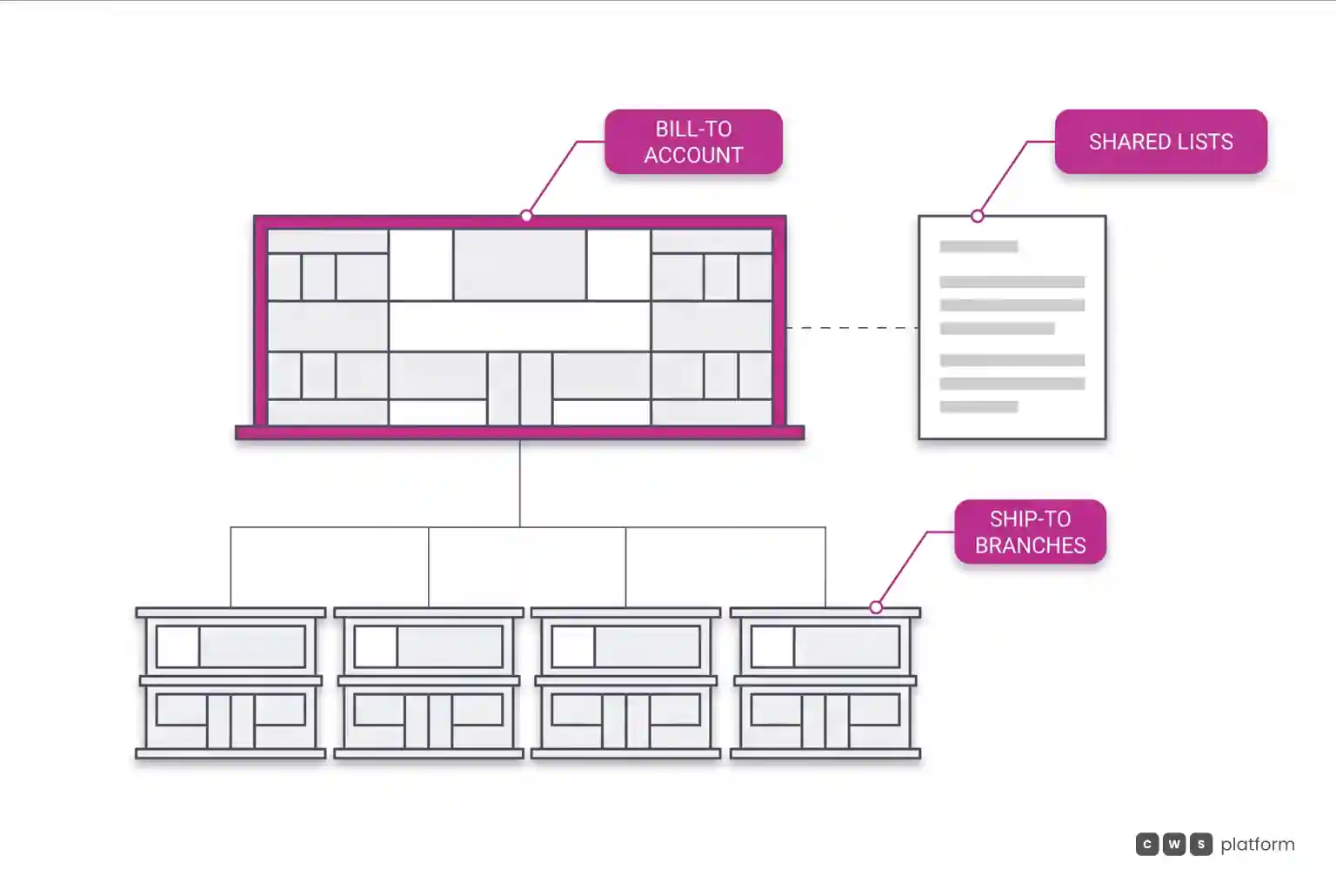
For customers with multiple locations, shared lists can be assigned by dynamic rule on bill-to customer fields, with manual inclusion or exclusion of specific customers and start and end dates. The Price Matrix orders pricing from most specific to most general, a criterion that also applies to warehouse, currency, and unit of measure.
For the operations IT team, the Admin API is REST, with OData paging and a PATCH endpoint for every entity. For a network of multi-branch customers who buy on a recurring basis, that set gives the buyer an account view and operations a documented integration path.
Where the architecture diverges
The divergence that matters to whoever runs operations sits in where financial information originates and how volume leaves the portal. The vendor's own documentation records two points:
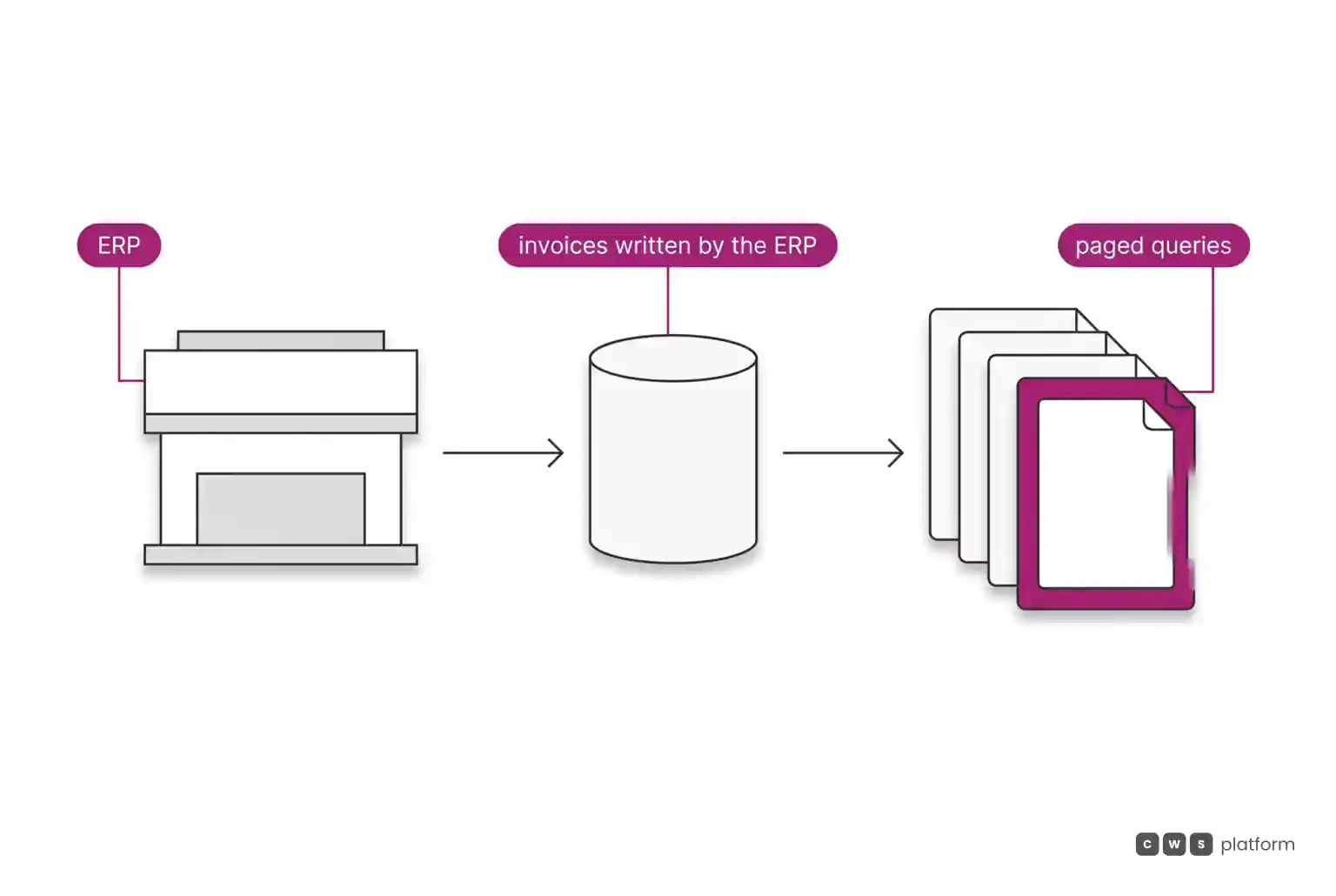
- limitation recorded in the vendor's documentation, accessed on October 16, 2026: Configured Commerce does not manage invoicing and only displays what the customer ERP provides to the database ("Configured Commerce does not manage invoicing and displays only what the customer's ERP system provides to the database.", https://docs.optimizely.com/configured-commerce/docs/order-and-invoice-history-in-spire-cms).
- limitation recorded in the vendor's documentation, accessed on October 16, 2026: the Admin API returns at most 100 results per request ("Configured Commerce returns a maximum of 100 results in a Admin API request", https://docs.optimizely.com/configured-commerce/api/BhcQ-configured-commerce-admin-api-architecture).
In multi-branch self-service, the first point sets the quality of what the customer sees. The invoice screen is only as current and complete as the routine that moves data from the ERP into the portal database. If that routine runs late or fails, the branch sees a balance that does not match the bill, and the call to customer service comes back. The same documentation records that invoices are available through the account area on the site, while the Admin Console gives access to order history.
The second point is about volume. With at most 100 results per request, reconciling a network with many branches and many orders per day goes through paging: the integration has to follow the next pages to the end, handle failures midway, and repeat the process every cycle. It is not a blocker, it is an integration design that needs an owner, testing, and monitoring.
On CWS Platform, the customer's credit limit is maintained on the platform, as a running account, granted in CDL Workspace or through an API. The design is API-first, with REST APIs and webhooks, and tax comes from the ERP or the tax engine the customer already uses.
| decision | Optimizely Configured Commerce, per the documented mechanism | CWS Platform |
|---|---|---|
| Where the financial information the branch sees comes from | Invoicing not managed by the platform; it displays what the ERP writes to the database | Credit limit maintained on the platform, granted in CDL Workspace or through an API; tax comes from the ERP or tax engine |
| How operations pulls volume from the portal | Admin API with at most 100 results per request, with OData paging | REST APIs and webhooks |
| How the branch's order is delivered | Not covered by the sources of this comparison; a question to ask during evaluation | Net terms with split shipments, scheduled deliveries, multiple ship-to addresses, and multiple ship-from locations |
The operational decision is to know, for every piece of information on the customer's screen, which system owns it and how often it arrives.
What changes in multi-branch self-service operations
The difference shows up in the volume of contacts self-service was supposed to eliminate. Every time a branch does not trust the balance, the due date, or the delivery status it sees in the portal, it calls. Every time the daily reconciliation needs several paged calls to close, the integration team gains one more process to watch.
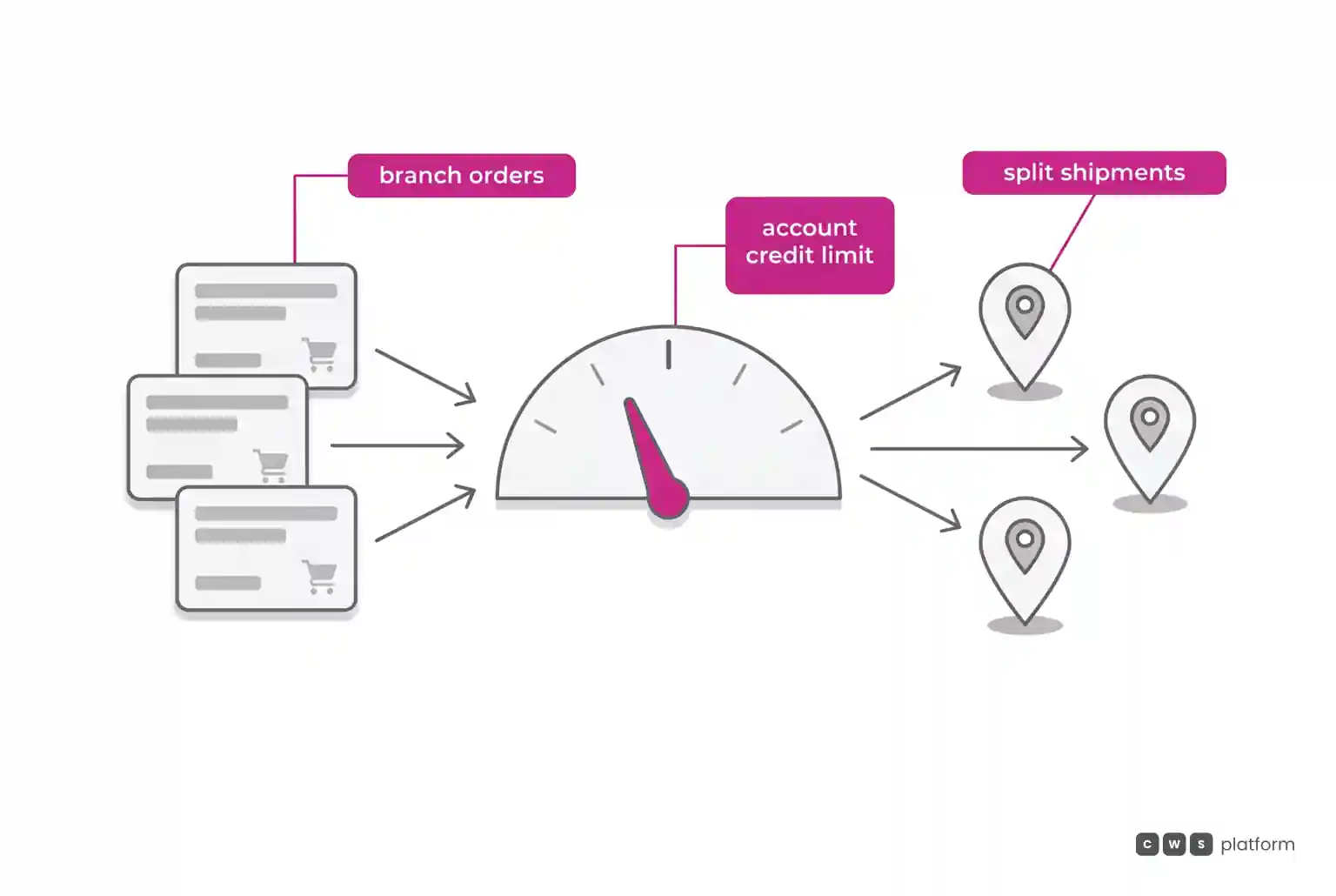
For the COO, that becomes cost to serve per account. A multi-branch portal concentrates the most expensive cases: an order split across locations, deliveries to different addresses, credit shared across branches, and billing consolidated at headquarters. If each of those cases depends on a different system, customer service becomes the human integration point.
Four questions help bring this point into any evaluation:
- How often ERP financial data reaches the portal, and what the customer sees when it is late.
- How many orders and lines operations needs to reconcile per day, and how many API calls that represents.
- Where the account's credit limit lives and who changes it.
- How a headquarters order is split into deliveries for the branches.
On CWS Platform, the same order accepts more than one payment method, and the order records who built the cart and who chose the payment. Customer and sales rep use the same interface, and one sales rep serves thousands of customers.
When to choose Optimizely Configured Commerce
Optimizely Configured Commerce fits scenarios with these characteristics:
The ERP as the single financial source, with a stable routine. Choose this architecture when the ERP already writes invoices and balances with known frequency and quality, and the portal only needs to display that data in invoice history.
A well-defined mix per group of branches. Choose this architecture when customer groups are stable and shared lists by dynamic rule cover the variation between locations.
An integration team that handles paging. Choose this architecture when IT already runs integrations through the Admin API with paging and monitoring, and daily volume fits that design.
When CWS Platform is the right choice in this scenario
CWS Platform is the right choice when branch self-service depends on credit, payment, and delivery governed in the same place as the order.
Account credit on the platform. Choose this architecture when branches buy on net terms against a limit. The customer's credit limit is maintained on the platform, as a running account, granted in CDL Workspace or through an API.
Payment and authorship recorded on the order. Choose this architecture when headquarters and branches share the purchase. The same order accepts more than one payment method, with rules combined in CDL Workspace and maintained through an API, and the order records who built the cart and who chose the payment.
Delivery sized for the network. Choose this architecture when one order serves several locations. Net terms work with split shipments, scheduled deliveries, multiple ship-to addresses, and multiple ship-from locations.
Integration through APIs and events. Choose this architecture when operations wants to connect the portal to the ERP and CRM without carrying commercial policy in code. The platform is API-first and headless, with REST APIs and webhooks, and price tables, rules, and contracts can come from the ERP or CRM through an API.
Where to go from here
If your question is still which architecture fits your operation, the path is the seven questions that separate B2B commerce architectures, and the comparison between models is in the three B2B commerce platform models.
If the decision depends on mapping where each piece of information a branch looks at lives, it is worth talking to a CWS Platform specialist to design credit, payment, and delivery for your multi-location accounts before you choose. The page When Integration Breaks Everything covers the pain behind this scenario in depth, without talking about any vendor.
"responsive, technically engaged, and willing to work through complex commercial rules (negotiated pricing, credit, customer-specific conditions) rather than pushing generic answers"
Want to see this in your operation?
Real B2B operations already run on it.