Every rep discounts up to their limit, and the rest goes up with a reason

For whoever answers for margin
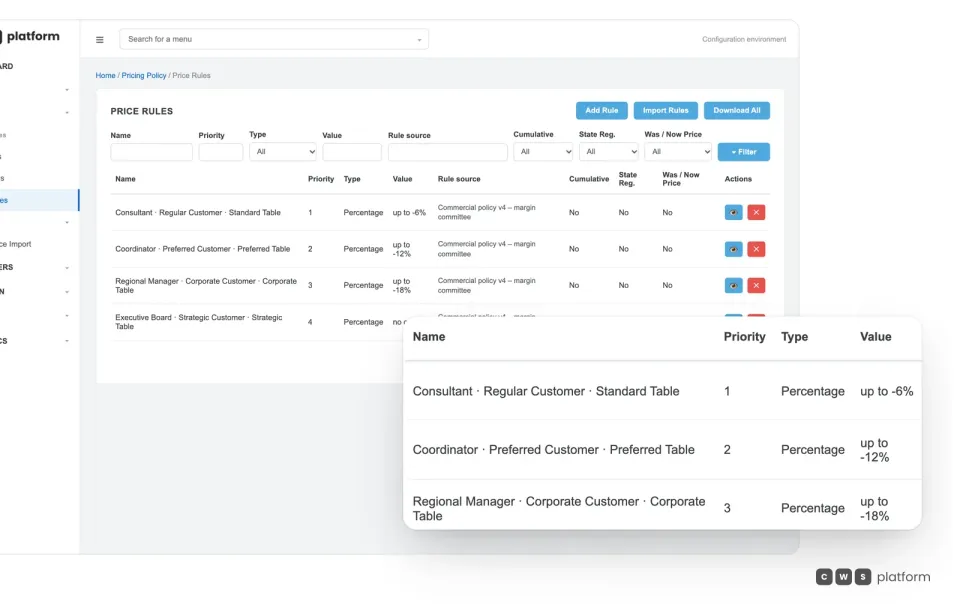
The discount policy becomes a matrix: role, customer type, price list and ceiling, with the version and who reviews it.
The matrix lives in the Commerce Rules Engine (CDL Workspace) and applies on the portal and in rep sessions; changing a ceiling is a setting, not a project.
Illustrative scene with a real CWS Platform screen in a demo version. People, stores and on-screen data are fictitious.

For whoever approves what goes over the limit
The manager sees the queue of what went over the limit, with discount, margin and reason, and approves or declines it there.
Every decision stays in the order history with date, level and comment; anything within the ceiling never reaches her.
Illustrative scene with a real CWS Platform screen in a demo version. People, stores and on-screen data are fictitious.

For reps negotiating face to face
The rep enters the discount in the cart and sees right away whether it fits their role's limit.
Above the ceiling, the system asks for a coded reason and holds the order for the right level to approve, with no side-channel messages and no rubber stamp later.
Illustrative scene with a real CWS Platform screen in a demo version. People, stores and on-screen data are fictitious.

For buyers at the reseller
In the order summary, the buyer sees the contract price against the list price before checkout.
What was negotiated arrives as the contract price; a discount outside the limit doesn't reach checkout without approval.
Illustrative scene with a real CWS Platform screen in a demo version. People, stores and on-screen data are fictitious.
By challenge · Discounts
Discount approval is a mess: everyone approves differently, reps discount without a reason, and approval becomes a rubber stamp after the order has already shipped. With no limits in the system, there is no way to stop what's off policy, and margin leaks where no one can see it.
On CWS Platform, the discount approval workflow is a Commerce Rules Engine (CDL Workspace) rule: each role has a ceiling by customer type and price list. Within the ceiling, the discount goes straight through; above it, the order asks for a coded reason and goes up to the level that can approve it, inside the Assisted Selling Platform (Sales Hub).
Where discounts slip through today
Everyone approves differently
With no rule in the system, approval depends on who picks up the phone, and two identical customers end up with different terms.
The reason disappears
Discounts go through with no justification, and at month end no one knows why they were given or who signed off.
Price is the only lever
When terms and freight are off the table, the rep has nothing but the discount to close.
The rule
Each role's discount, written once in the back office.
Rep, coordinator and manager, each with their own ceiling by customer type and price list. The same rule applies on the portal, in rep sessions and in the AI Agents.
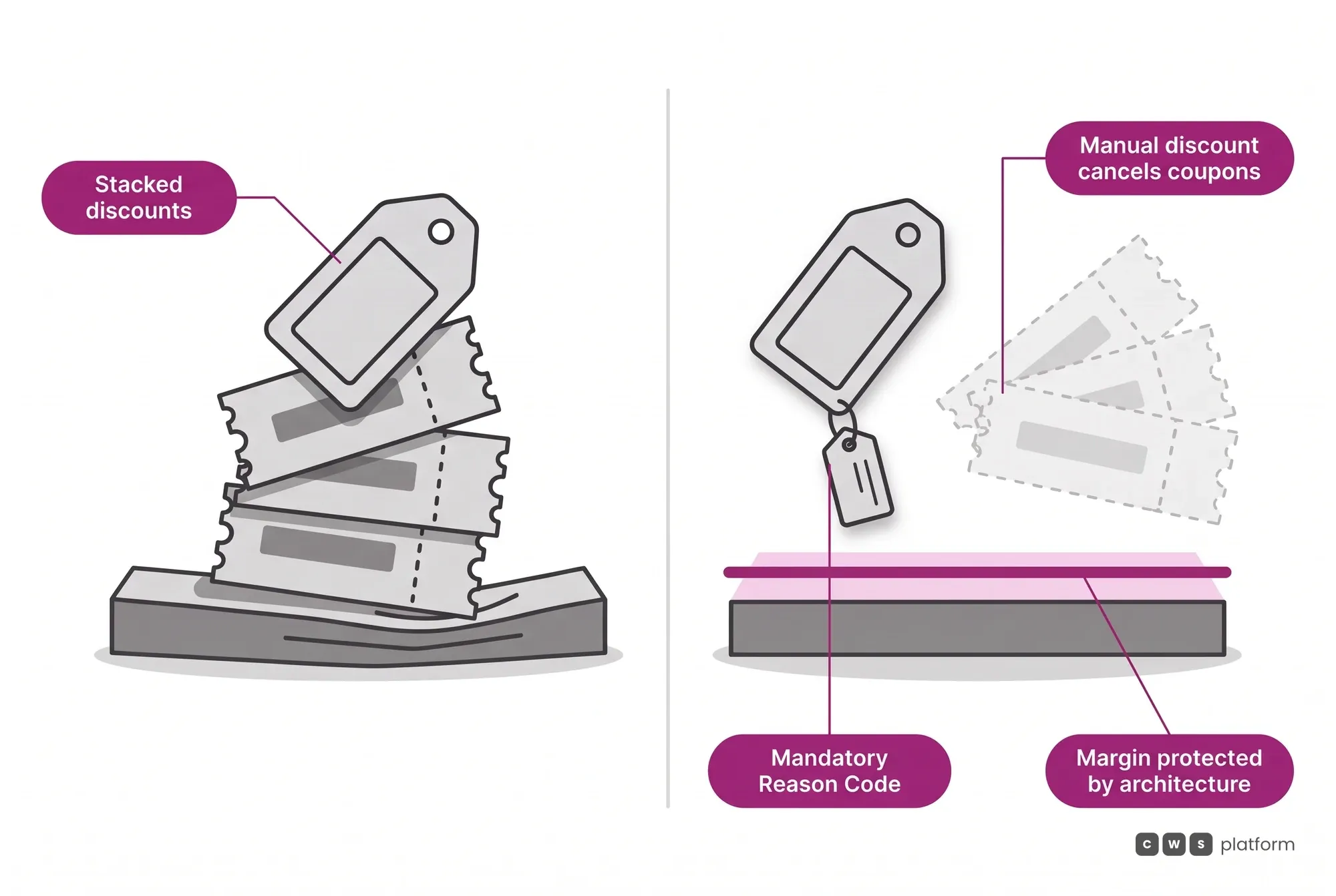
No discount stacking
The rule lives on the order itself: whoever opens the order later knows why each discount exists and who granted it.
And price stops being the only lever: price, delivery, payment, quantity and bundle are the 5 negotiable dimensions, each with its own rule, so reps can close without cutting only on discount.
With AI, the same limits
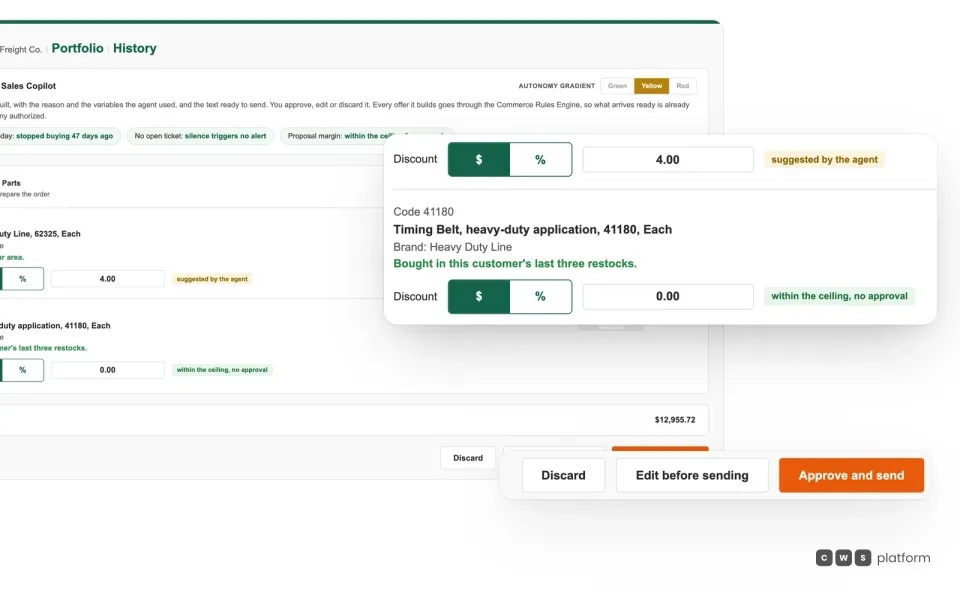
The discount is suggested. Sending it is up to the rep.
Sales Copilot builds the offer and shows what fits under the ceiling without approval; the rep reviews it and sends it.
Want to see your discount policy as approval limits?
Tell us who approves what today, and a specialist will build the demo with your roles and ceilings.

Persona · Legal and procurement manager
Every discount above the ceiling arrives with a reason and who approved it.
Audits stopped being a spreadsheet hunt: each concession is recorded on the order itself.

Persona · Chief executive officer
I gave reps room to negotiate without giving up margin.
Each role's ceiling is company rule, not a hallway deal, and it changes when the policy does.

In production: approvals between rep, coordinator and manager
In the Fortbras Sales Hub pilot, reps use the same interface as the customer, register customers straight into the right group, and work with an approval flow between rep, coordinator and manager. In the same network, one banner's pricing model carries a discount limiter next to its VIP lists and priority promotions.
Source: Fortbras case study (2026). Read the full story →
What usually gets in the way, and how it works
Won't limits slow reps down?
Less than approvals by phone: within the ceiling the discount goes straight through, and reps see their limit before they send.
What about the exception a customer asks for?
It goes up with a reason to the right level and stays in the order history, with the date, level and comment of whoever decided.
Is changing the policy a project?
No. Each role's ceiling is a Commerce Rules Engine setting, and the new policy applies to self-service and to reps as soon as it's saved.
Frequently asked questions
What is a discount approval workflow?
It is the set of limits each role can grant without asking, and the path a discount takes when it goes above that limit, up to whoever has the authority to approve it.
How are the limits set on CWS Platform?
In the Commerce Rules Engine (CDL Workspace), by role, customer type and price list or contract, and also by category, store and price tag.
Do reps know their own limit?
Yes. The platform can show reps their approval limits, and the cart flags it right away when a discount goes over the ceiling.
What does the approver see?
The queue of what went over the limit, with each order's discount, margin, reason and level, and approves or declines it right there.
Go deeper
- Commerce Rules Engine (CDL Workspace): where the limits are written.
- Assisted Selling Platform (Sales Hub): the desk where reps negotiate.
- B2B ecommerce for manufacturers: the industry where this challenge shows up most.
- What is an approval matrix: the guide to discount tiers, on the blog.
- Off-policy discounting: how to know if reps are giving it away.
- All challenges: customer price lists and payment terms.
See your approval limits on the portal
Tell us a bit about your operation and a CWS Platform specialist will reach out within one business day, no strings attached.