Every buyer orders from their own price list, no spreadsheets

For whoever owns the pricing policy
Each customer type and each price list gets its own pricing rule, in priority order.
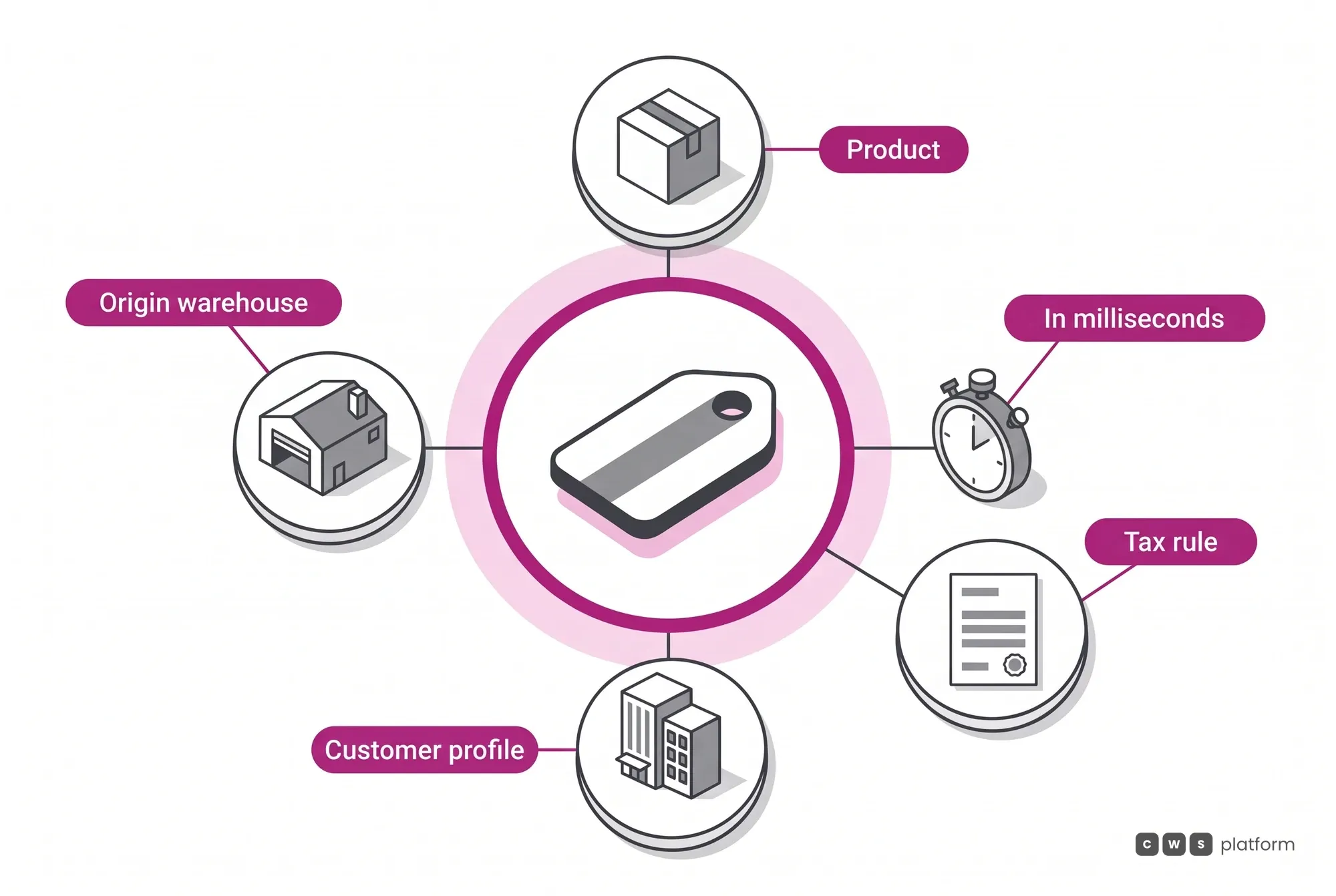
The rule is written once in the Commerce Rules Engine (CDL Workspace), and Contextual Pricing (Pricing Engine) applies that rule on the portal, in rep sessions and in the AI Agents.
Illustrative scene with a real CWS Platform screen in a demo version. People, stores and on-screen data are fictitious.

For reps at the counter and on the phone
In the catalog list, the rep sees the list price and the price of the customer she is serving.
Rep and buyer share the same interface and the same rules: what the rep quotes is what the customer would see alone on the portal.
Illustrative scene with a real CWS Platform screen in a demo version. People, stores and on-screen data are fictitious.

For buyers who purchase for a network
The buyer signs in with the branch tax ID, and the head-office account brings that company's prices and terms.
Head office and linked branches in one account: each unit sees its own prices, availability and terms, with no price sheet sent by email.
Illustrative scene with a real CWS Platform screen in a demo version. People, stores and on-screen data are fictitious.

For owners buying for their own shop
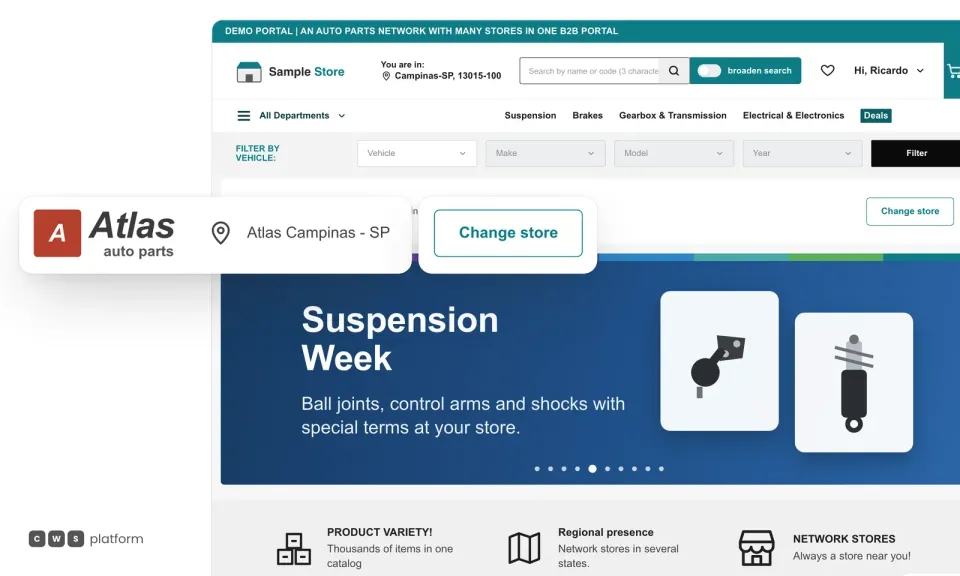
On the product page, the shop owner sees the stock of the store that serves her, already set on her account.
The serving store comes set on the account, with its price list and stock; switching stores switches the rule too.
Illustrative scene with a real CWS Platform screen in a demo version. People, stores and on-screen data are fictitious.
By challenge · Pricing
Every customer has their own price, and none of it fits on the portal. Reps confirm by phone or email the price the buyer already saw, customers on special contracts call instead of ordering online, and the usual way out is flattening the price list and giving margin away up front.
On CWS Platform, price list management stops being a spreadsheet. Contextual Pricing (Pricing Engine) calculates each item's price when the order is placed, from the rule written in the Commerce Rules Engine (CDL Workspace), and the portal, the reps and the AI Agents all follow the same number.
Where each customer's price gets lost today
The rep confirms it later
The buyer sees one price on the portal and the rep confirms another by phone. The order goes back to the most expensive channel.
Contract customers call in
Special contracts don't fit on the portal, so your best customers are exactly the ones who skip self-service.
One list for everyone
Keeping prices by branch and by customer got too costly, so the list was flattened. No one measures what stopped being charged.
The serving store
Every buyer lands in the network store that serves them.
The account opens in the buyer's branch, and the price they see is calculated there by Contextual Pricing, from their price list, group and contract. Your ERP stays the owner of the base price.
The pricing order, written once
Contracts, rules and price lists live on the same portal, and the order between them is a setting. Each contract has a priority and a validity period and applies to a customer or a group; each pricing rule has a role, a customer type, a price list and a priority.
Price lists and contracts come from your ERP over API or by spreadsheet upload, and changing a condition is a Commerce Rules Engine setting, not an IT project: there are 1,029 configurable parameters.
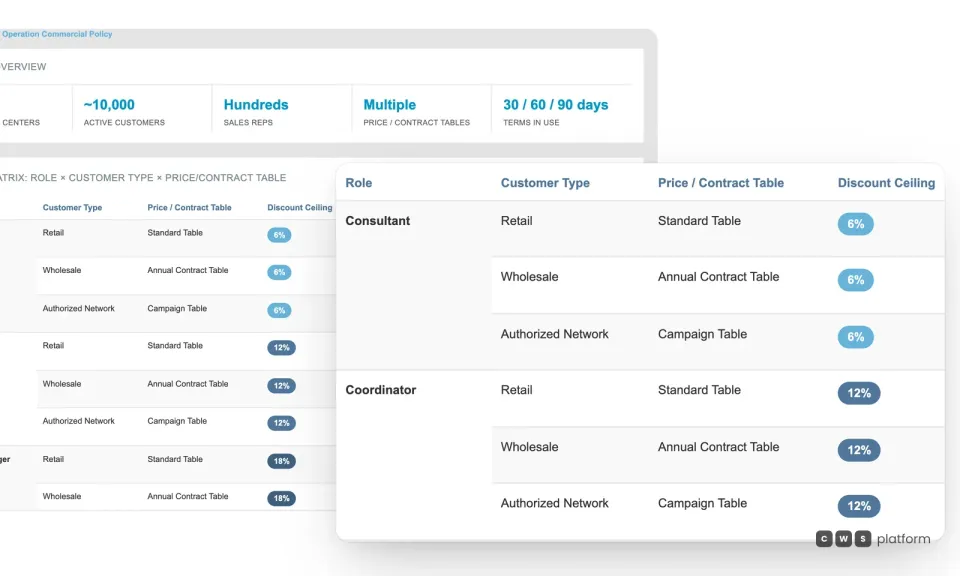
Price lists and limits
Every price list with each role's discount ceiling.
A customer price doesn't turn into a free-for-all discount: in the Commerce Rules Engine, each role has its own ceiling by customer type and by price list or contract.
Want to see your price lists on the portal?
Tell us how you price today, with lists, contracts and branch discounts, and a specialist will build the demo around your case.

Persona · Sales director
Every customer buys from their own price list, and I stopped checking prices by text message.
Each customer's list, contract and rule live on the portal, and reps quote from the same math.

Persona · Reseller buyer
I see my price before I order and check out without waiting for the rep to confirm.
The catalog price is already my contract price, and the terms show before checkout.

In production: four pricing models on one portal
Fortbras brought branches from several banners and three ERPs onto one CWS Platform B2B portal, each with its own pricing model: a base price with banner discounts and VIP lists, closed price lists by customer group, and contracts by state. None was dropped, and the decision order is written down: a contract beats a percentage rule, which beats a price list.
In June 2026, the portal had about 800 active contracts and more than 20,000 customers in VIP groups, each with their own price per banner.
Source: Fortbras case study, June 2026 data. Read the full story →
What usually gets in the way, and how it works
Does pricing stay in my ERP?
Yes. Your ERP keeps owning the base price, credit and invoicing; lists, contracts and rules arrive over API or spreadsheet, and the portal calculates the final price on top of them.
Is every new list a project?
No. Creating a rule or changing a contract's priority is configuration. At Fortbras, a new branch with another branch's pricing rules went live the same day it was requested.
What about visitors who aren't logged in?
They can browse the catalog without prices, as Fortbras does: prices show for identified customers, with their own list.
Frequently asked questions
What is B2B price list management?
It is keeping a price list per customer or customer group, by contract or negotiation, and making sure each buyer sees their own list when they log in, with no one double-checking the price afterwards.
How does CWS Platform decide which price applies?
By the priority you configure. Each contract has a priority and a validity period and applies to a customer or a group; each pricing rule has a role, a customer type and a price list. Contextual Pricing applies the combination when the order is placed.
Can prices differ by branch or warehouse?
Yes. Prices can vary by warehouse, branch, customer group and contract, and tax is calculated by the store that serves the buyer.
Do sales reps see the same price as the customer?
Yes. Reps use the same portal interface, and when they switch customers in a session they see that customer's prices.
Go deeper
- Contextual Pricing (Pricing Engine): the engine that calculates the price.
- Commerce Rules Engine (CDL Workspace): where the rule is written.
- B2B ecommerce for distributors: the industry where this challenge shows up most.
- Customer-specific B2B pricing: the guide, on The Cost of Selling blog.
- Tiers, price books and resellers: complex pricing without more price sheets.
- All challenges: discount approval and payment terms.
See your price lists on the portal
Tell us a bit about your operation and a CWS Platform specialist will reach out within one business day, no strings attached.