"The Price is Wrong on the Portal": How to Trace Errors to Logic, Data, or Integration
B2B pricing discrepancies rarely stem from rate cards alone: they emerge from misalignments across business rules, master data, and ERP sync.

TL;DR
- When a buyer says the price on your B2B portal is wrong, the issue comes down to one of three areas: the commercial rule (the policy is written differently from how the sales rep interprets it), the master data (the price list, baseline cost, or customer tier was set up incorrectly), or the integration (accurate data never synced, synced late, or was mapped incorrectly).
- Triaging these three areas before changing settings prevents the costliest loop: overriding the price by hand, only to watch the error reappear after the next sync.
- A four-question diagnostic framework resolves most pricing disputes: verify the expected price, check the figure at each stage of the pipeline, confirm the timestamp of the last update, and see who else is affected.
- Logging every incident alongside its verified root cause reveals systemic patterns across pricing lists and workflows.
To determine whether an incorrect price on your B2B portal stems from business rules, master data, or your system integration, trace the buyer's expected price through each stage of the data pipeline: what the contract requires, what sits in the ERP, what payload was delivered to the platform, and what the portal calculated. The first point where the actual figure deviates from the expected value reveals the true root cause. Adjusting live pricing without this trace only hides the problem until the next scheduled batch sync runs.
The issue almost always surfaces through your sales team: "The account says the portal price is higher than the quote I gave them." The default reaction is to blame the storefront. Sometimes it really is a storefront bug. Far more often, the portal is running exact calculations on flawed data it received.
The Three Root Causes of Incorrect Pricing
The rule. The commercial policy is written one way, but sales reps operate another way. A volume tier might trigger at 100 units in your published policy, but sales reps routinely apply the discount at 80 units. The portal calculates accurately based on documented logic, but runs counter to daily practice.
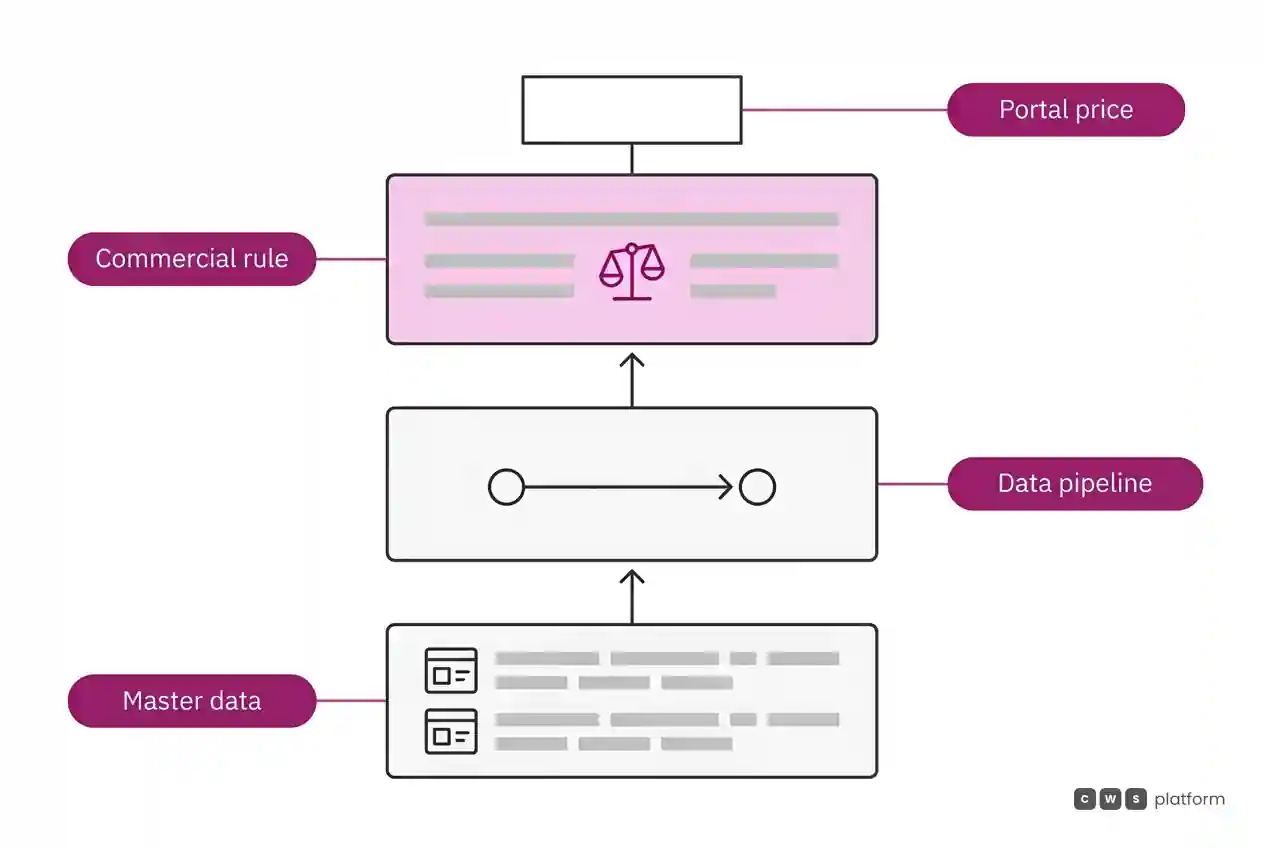
The master data. The underlying pricing logic is sound, but the data fed into it is wrong: the account is assigned to the wrong customer group, a price list carries an obsolete base cost, or a catalog category shift left the item outside an active promotion.
The integration. Rules and master data are accurate in your ERP, but they never made it into the commerce engine, synced late, loaded as a partial file, or hit field mapping errors (unit of measure mismatches, rounding precision issues, currency settings, or part number discrepancies).
Each breakdown has a distinct stakeholder. Commercial rules belong to sales leadership. Master data belongs to database administrators and operational teams. Integration belongs to engineering and IT. Treating every pricing discrepancy as a portal bug sends critical issues to the wrong team.
The Diagnostic Framework
1. What was the expected price, and what is its paper trail? Request the exact target figure along with its documentation: the contract, formal quote, or customer agreement. Without an audited expected price, you are troubleshooting an expectation rather than a system defect.
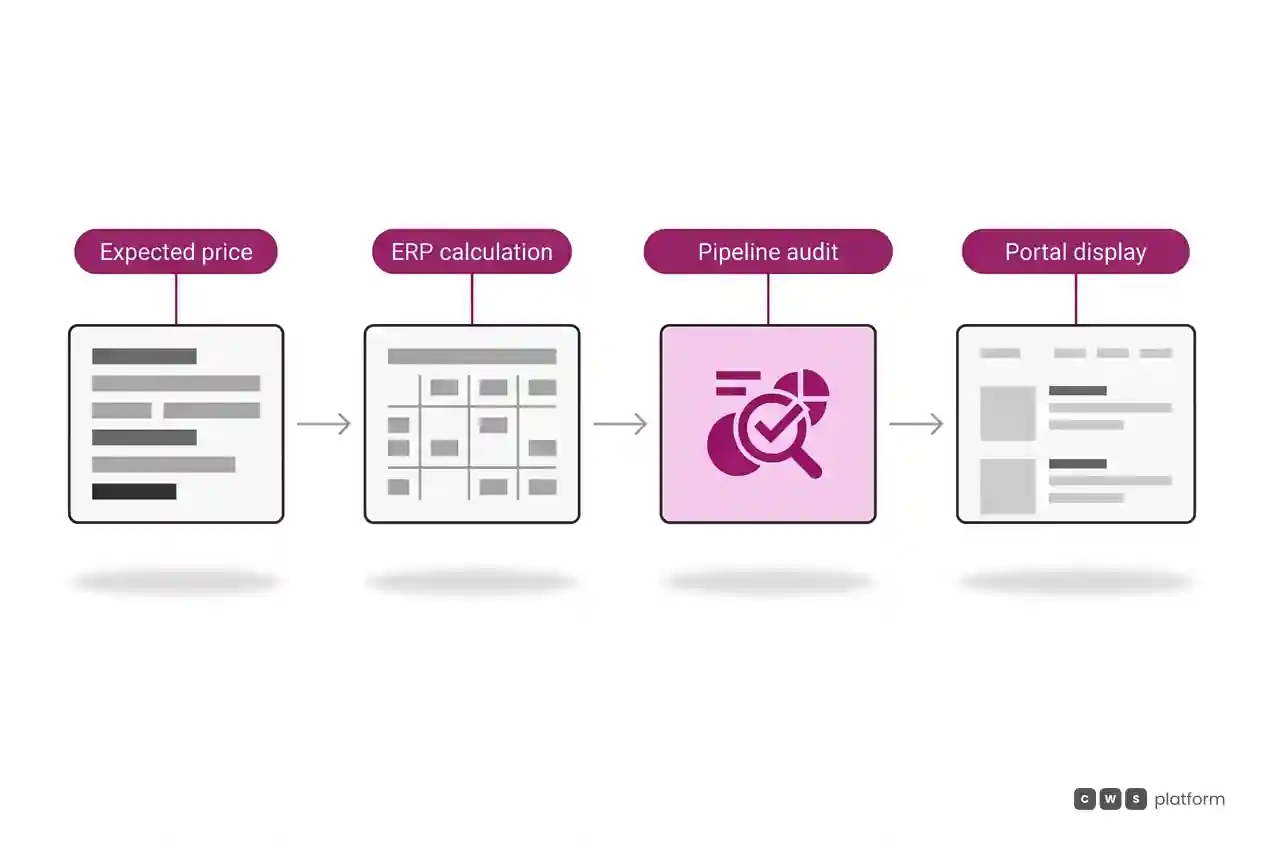
2. What does the price look like at every step of the pipeline? Compare the contract rule, the ERP calculation for that account and SKU, the raw payload received by the platform, and the rendered storefront price. The earliest point of divergence identifies the issue.
3. When did the data last sync? If price sheets changed yesterday afternoon and your batch sync runs nightly, the portal could lag by a full business day. This is an integration pipeline failure, even if it looks like bad business logic.
4. How many accounts show the same discrepancy? An isolated incident usually points to customer master data. An entire product category points to product records or rule logic. An error sweeping every account starting on a specific date points to an integration failure or an undocumented policy push.
Why Signed-Off Integrations Still Produce Pricing Errors
Pricing discrepancies frequently surface long after an integration passes user acceptance testing. The statement of work confirmed that price lists would sync, and the pipeline works as built. What teams miss is that an operational discount lives in a separate ERP module, or an account carries multiple overlapping price lists resolved by undocumented backend logic.
During live operations, the first post-launch friction points are these exact disconnects: price, inventory, and catalog discrepancies that passed UAT because testers only ran standard happy-path scenarios. These gaps must be reconciled against commercial requirements and technical pipeline limits, rather than patched with manual overrides. Dive deeper into this topic in our guide on B2B e-commerce ERP integration.
Logging Incidents to Spot Systemic Patterns
Every pricing escalation should generate a simple tracking record: account, SKU, expected price, displayed price, verified root cause (rule, data, or integration), and resolution. Over a few weeks, these logs surface operational bottlenecks:
- Frequent rule issues require clearer discount policies or sales enablement.
- Frequent data issues require defined data stewardship and update schedules.
- Frequent integration issues require pipeline monitoring, run logs, and automated divergence alerts.
A platform that makes price calculations transparent, showing the precise rules applied alongside the source data, cuts audit times from hours to minutes. That is what the Pricing Engine inside CWS Platform delivers by auditing the price pipeline, while our breakdown on managing customer-specific price lists shows how to replace spreadsheet maintenance with automated pricing.
Next Steps
Pull your last ten pricing tickets and run them through these four diagnostic questions. Record the confirmed root cause for each. If most errors share an origin, address that bottleneck first. If they are split across domains, start by assigning clear ownership to business rules, data maintenance, and data pipelines.
Frequently Asked Questions
Why is the B2B portal price different from the ERP?
Pricing discrepancies stem from three root causes: the logic running on the portal differs from the ERP, the raw records delivered to the portal diverge from source data, or the sync pipeline has not processed the latest updates.
How do you diagnose a pricing integration error?
Compare the record in your ERP with the payload received by your commerce platform for the exact customer and SKU, then confirm the timestamp of your last sync job. If the ERP is accurate but the platform received different values, you have an integration failure.
Who owns incorrect pricing on a B2B portal?
Ownership depends on the root cause: commercial policy belongs to sales leadership, master data belongs to operational data teams, and integration pipelines belong to IT. Run root-cause diagnostics before assigning tickets.
Does manually overriding the price fix the problem?
A manual override only fixes the current order. Unless you correct the source issue, the incorrect price will return during the next catalog or price list sync.
Related Articles
- B2B Customer Portal Launched but Nobody Uses It: Driving Post-Go-Live Adoption
- B2B Sales Systems Integration: What to Connect First and How
- ERP Integration
About This Publication
Published on O Custo da Venda by CWS Platform, covering B2B pricing logic and ERP integration architectures. This article contains no customer disclosures or proprietary benchmark figures.
"responsive, technically engaged, and willing to work through complex commercial rules (negotiated pricing, credit, customer-specific conditions) rather than pushing generic answers"
Is integration holding your operation back?
Request an assessment of your operation or talk straight to a specialist, whichever you prefer.
I'd rather get the next articles on ERP integration
A weekly roundup of new articles on ERP integration, only in weeks when there is one. No spam, and you can leave in one click.