Spryker vs Adobe Commerce: which price reaches the B2B order?
Through a commerce director's lens: which price prevails under a contract, how many decimal places it keeps, and on which orders payment on account works.

Editorial note: CWS Platform competes with both Spryker and Adobe. This comparison uses only each vendor's public documentation, with the address next to each fact and the date of each record cited.
Short answer: Spryker fits companies that want contract pricing as a price dimension, with order flow and integration adjustable in the project's code. Adobe Commerce fits companies that want B2B as an extension of a store that also serves B2C, with company credit in the portal and a choice between SaaS and PaaS. In both, test the price on the order: Spryker records when the default price prevails; Adobe records that it rounds prices to two digits.
For a commerce director, growing the B2B channel only helps margin if the negotiated price reaches the order intact and the agreed payment terms survive delivery. Between Spryker and Adobe Commerce, the choice comes down to three questions: which price the store shows when there is a contract, how many decimal places it keeps, and on which orders payment on account works. The overall map is in the post on the three B2B commerce platform models, the other comparisons are in the comparisons hub, and the VTEX vs Adobe Commerce comparison looks at the typical B2B order on the Adobe side.
Spryker and Adobe Commerce side by side
The table summarizes what each vendor's documentation records; where the source does not cover a point, the cell says so.
| point | Spryker | Adobe Commerce |
|---|---|---|
| Platform model | Commerce code inside the project; order process modeled in XML | Three options: multi-tenant SaaS, single-tenant PaaS, and Commerce Optimizer; Magento Open Source is open source |
| Native B2B or extension | Native: Company Account with business units, roles, and permissions, Approval Process, and Request for Quote | B2B extension installed and enabled on the store, which keeps serving B2C |
| Customer and contract pricing | Merchant Custom Prices: price per merchant relation, applied to the assigned business units | Shared catalogs with per-product pricing for each company or customer group |
| Quotes | Request for Quote with versions, sales rep editing, and an expiry date | Quote opened by the buyer from the cart or by the seller in the Admin |
| Credit and payment terms | Not documented | Credit access set by role in the company account; the buyer tracks credit in the portal |
| ERP integration | Data Exchange API built on the Dynamic Entity API, with endpoints and mappings created in the Back Office | REST and GraphQL APIs, App Builder, API Mesh, webhooks, and events, with back-office starter kits |
| Billing model | Not documented | Pricing page with three options; under managed services, consumption quotas in the Sales Order |
| Deployment | Order process activated in configuration; YAML endpoints merged from core to project | SaaS with automatic updates, dedicated PaaS, or a service managed by Adobe |
Pricing and commercial rules: which price reaches the order
On Spryker, the contract price is a price dimension. Merchant Custom Prices places the merchant relation alongside mode, volume, store, and currency and applies the price to the assigned business units; if a unit has several relations with different prices for the same product, the lowest one applies. Recorded in Spryker's documentation, accessed on October 16, 2026: when the default product price is lower than the merchant relation prices, the storefront displays the default price ("If the default product price is lower than any of the merchant relation prices for a given product, the default price is displayed in Storefront.", Merchant Custom Prices). The documentation says this behavior can be customized in the project.
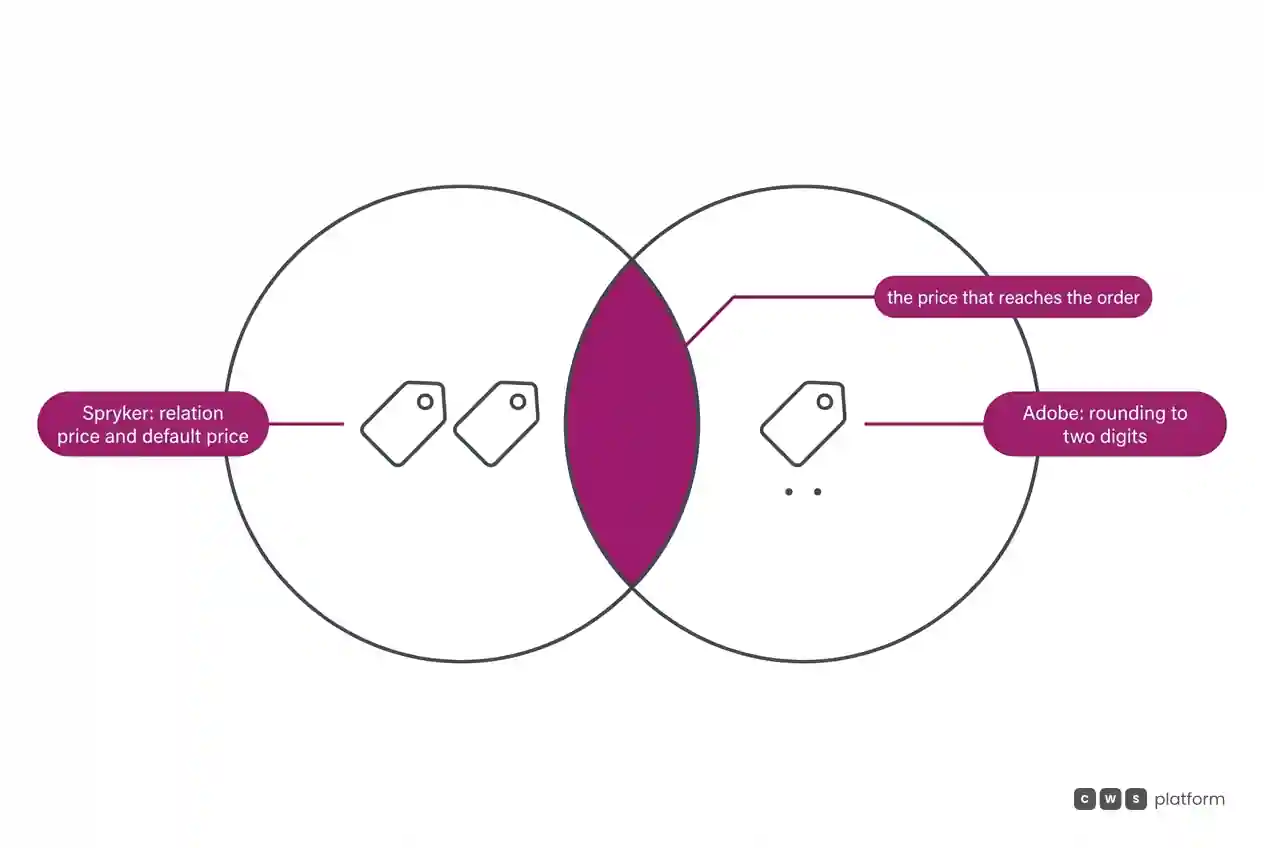
On Adobe Commerce, the store admin defines what each buying company can use, including price levels, and shared catalogs apply per-product pricing to companies or customer groups, according to the Adobe Commerce B2B introduction. Recorded in Adobe's documentation, on a page dated October 8, 2026: the taxes page states that Commerce automatically rounds all prices to two digits ("Commerce automatically rounds all prices to two digits", taxes in Adobe Commerce).
Both records point to the same margin question: is the price the buyer sees the price sales negotiated? Bring to the demo one item with a contract price above the default list and one item priced with more than two decimal places, and check what shows up in the store, on the order, and on the invoice for each.
Quotes and assisted selling: carrying the negotiated terms to the order
On Spryker, the buyer creates a quote from the cart and can add notes, negotiate prices, and choose a shipping method and multiple addresses; the sales rep edits prices and quantities and sends back a new version, according to the Request for Quote documentation.
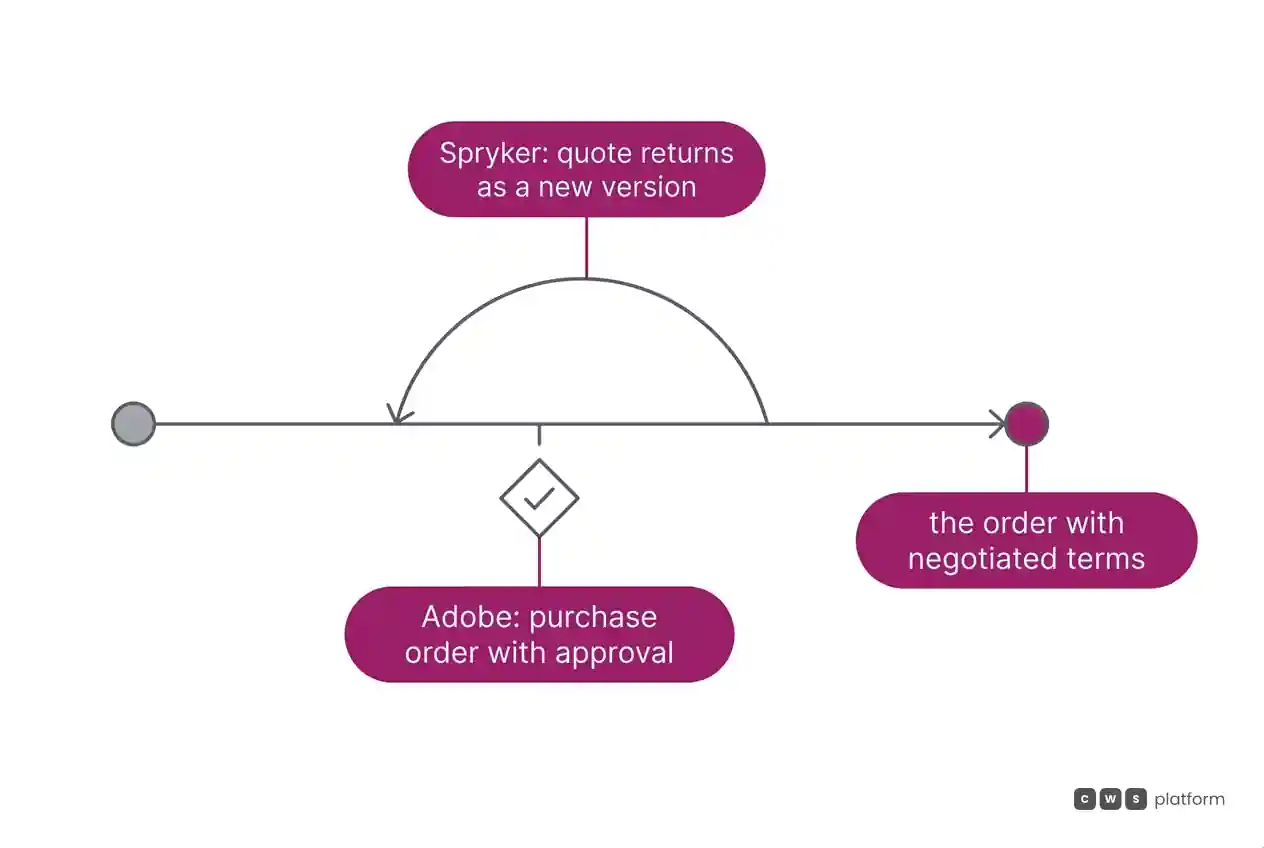
On Adobe Commerce, authorized buyers open a quote from the cart and sellers from the Admin; both sides change items and quantities, request and apply discounts, and exchange messages until they agree, and with purchase orders enabled, the company's order becomes a PO and can go through approval rules, according to the B2B introduction. Recorded in Adobe's documentation, on a page dated June 15, 2026: Payment on Account is not supported for orders with multiple shipping addresses ("not supported for orders with multiple shipping addresses", basic B2B features).
Payment terms are part of the price: a buyer who negotiates net 30 and delivery to three job sites is negotiating margin. Run the same order in both demos, with a negotiated quote, payment on account, and delivery to more than one address, and ask Spryker to walk through its payment-on-account flow, which the sources used here do not cover.
ERP integration: where customer pricing comes in
On Spryker, APIs are split by actor, with one for the storefront and one for the back office, according to the getting started with APIs guide, and the Data Exchange API is built on the Dynamic Entity API, which lets teams create endpoints, validations, and mappings in the Back Office without code. Recorded in Spryker's documentation, on a page dated July 30, 2026: the Data Exchange API limitations page states that it supports neither customer-specific pricing nor Order Management System operations ("Product Prices per Customer: Customer-specific pricing is not supported in the Data Exchange API.", Data Exchange API limitations). For merchant relation prices, the Merchant Custom Prices documentation describes bulk loading through a CSV file.
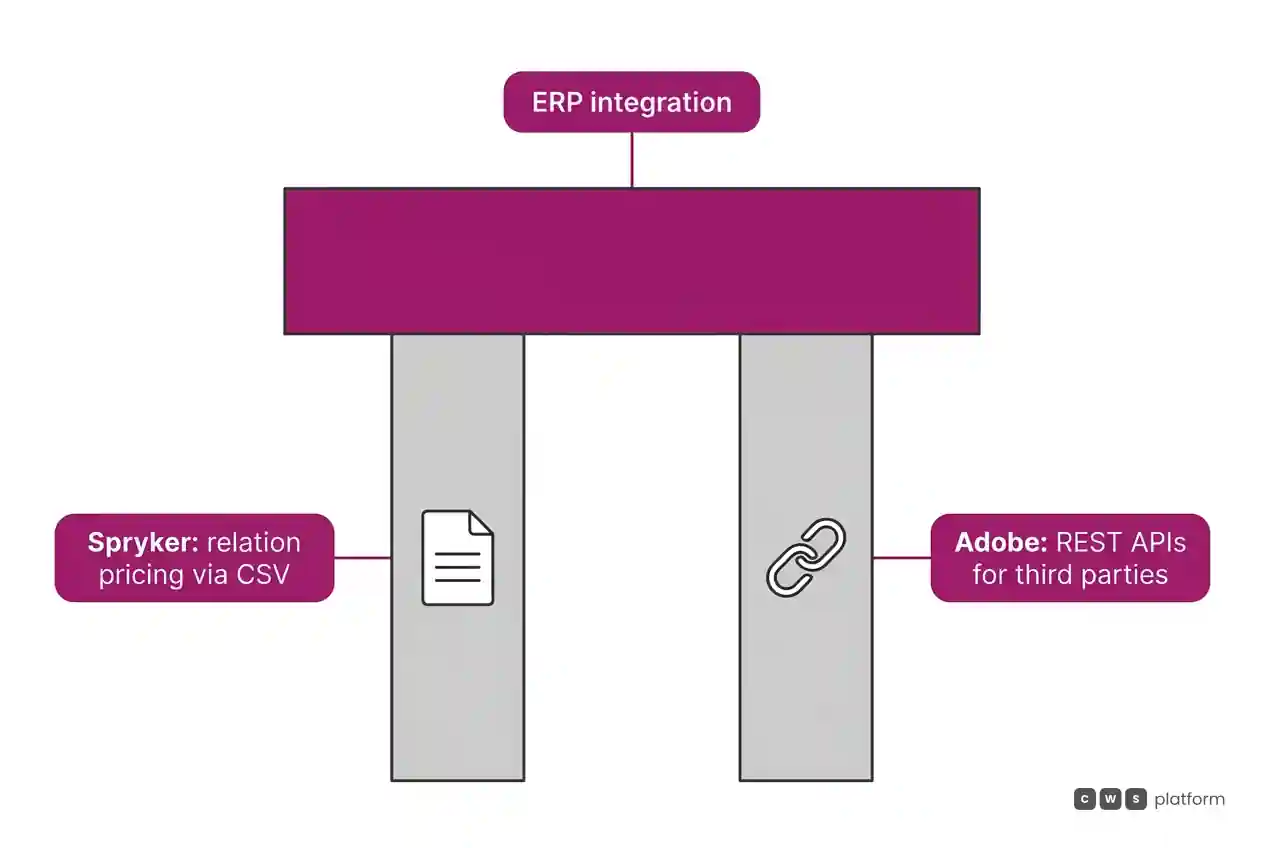
On Adobe Commerce, the storefront talks over GraphQL and REST APIs integrate third-party software, according to the developer documentation. Extensions and integrations can use App Builder, API Mesh, webhooks, and events, with starter kits for back-office, payments, tax, and shipping, as the Adobe Commerce pricing page records.
When the customer price table lives in the ERP, ask both vendors for the design of the load into the store, who maintains it, and how long a new price takes to reach the order.
Cost and billing model
At Adobe, the pricing page separates three options: Adobe Commerce as a Cloud Service, Adobe Commerce on Cloud, and Adobe Commerce Optimizer. Under managed services, consumption quotas (vCPU days, storage, CDN transfer, and store views) are set in the Sales Order, according to the managed services description. In the Spryker sources used in this comparison, the billing model is not covered; the proposal has to spell it out.
Ask both vendors which lines of the proposal change when the number of orders, stores, or B2B customers doubles.
Deployment and maintenance
On Spryker, order rules and the API live in the project's code: the order process is modeled in XML and activated in configuration, according to the OMS documentation, and API Platform endpoints are declared in YAML files merged in layers, from core to project, as the API Platform documentation records.
At Adobe, Adobe Commerce as a Cloud Service is SaaS with automatic feature and security updates, and Adobe Commerce on Cloud runs on dedicated PaaS infrastructure, according to the pricing page. Under managed services, Adobe is responsible for the instance, network, CDN, backup, and scaling.
When to choose Spryker
Contract pricing with several relations. Merchant Custom Prices treats the merchant relation as a price dimension, with a documented rule for when a unit has more than one relation.
Large orders entered in one go. Quick Add to Cart accepts items by SKU, bulk pasted text, and minimum, maximum, and interval quantity rules.
An order process designed by the company. Spryker's OMS models the order lifecycle as a state machine, with conditions and commands that connect business rules and integrations.
When to choose Adobe Commerce
B2B and B2C on the same platform. The B2B extension runs alongside B2C operations, with company accounts, quotes, and purchase orders with approval, according to the B2B introduction.
Freedom of deployment option. The pricing page offers multi-tenant SaaS, dedicated PaaS, or Commerce Optimizer attached to another transaction engine.
Payments in the same dashboard. Payment Services brings payment and order data from the storefronts into the Commerce dashboard, with financial reports, refunds, and voids.
When neither fits
Spryker and Adobe Commerce handle contract pricing in different ways: one as a price dimension inside the project, the other as a shared catalog in a B2B extension. The post on the three B2B commerce platform models describes a third path: moving commercial rules into the platform.
That is the CWS Platform model. Price tables, rules, and contracts are configurable in the platform and can come from the ERP or CRM through APIs, and decimal places are customizable. Payment on terms works with split, scheduled delivery to multiple addresses and from multiple origins, and the customer's credit limit is kept in the platform. Commercial policy is stored as parameters in the CDL Workspace: configuration instead of code. The platform has 11 modules, 6 AI Agents, and 1,029 parameters.
Each vendor is read against that model in Spryker vs CWS Platform: where does customer pricing travel in the ERP integration? and in Adobe Commerce vs CWS Platform: do returned orders count toward licensing?. If the negotiated price and the agreed terms still do not reach the order intact, talk to a CWS Platform specialist and test a real order before you decide.
Frequently asked questions
Spryker vs Adobe Commerce: which is better for B2B?
It depends on where the company wants its commercial rules to live. Spryker fits companies that want contract pricing, quotes, and the order process adjustable in the project's code. Adobe Commerce fits companies that want B2B as an extension of a store that also serves B2C, with a choice between SaaS and PaaS. In both, the deciding test is a real order at the negotiated price.
How does each one handle customer and contract pricing?
Spryker uses the merchant relation as a price dimension and records that, when the default price is lower than the relation price, the storefront shows the default, a behavior that can be customized in the project. Adobe Commerce applies per-product pricing to companies or customer groups through shared catalogs and records that it rounds all prices to two digits.
Which one supports payment on account for a company?
Adobe Commerce documents credit access by role in the company account and records that Payment on Account is not supported for orders with multiple shipping addresses. The Spryker sources used in this comparison do not cover payment on account; ask for a demo of that flow.
Which one integrates pricing with the ERP?
Both document general integration tools. On Spryker, the documentation records that the Data Exchange API does not support customer-specific pricing, and the Merchant Custom Prices documentation describes loading merchant relation prices through a CSV file. On Adobe Commerce, REST APIs integrate third-party software and there are back-office starter kits; how the shared catalog is loaded from the ERP is not detailed in the sources used here.
Read next
Brands mentioned in this article

 VTEX
 Magento
- Adobe Commerce
Trademarks and logos belong to their respective owners. Mention does not imply partnership or endorsement.
"responsive, technically engaged, and willing to work through complex commercial rules (negotiated pricing, credit, customer-specific conditions) rather than pushing generic answers"
Is selling more not turning into margin?
Request an assessment of your operation or talk straight to a specialist, whichever you prefer.
I'd rather get the next articles on margin and discounts
A weekly roundup of new articles on margin and discounts, only in weeks when there is one. No spam, and you can leave in one click.