commercetools vs Adobe Commerce: what changes in B2B order operations?
Approval and order lookup on one side, cart caching and security fixes on the other: through the COO lens, the B2B order after the click.

Editor's note: CWS Platform competes with both commercetools and Adobe. This comparison uses only each vendor's public documentation, with the source address next to each fact and the date of each record cited.
Short answer: commercetools fits operations that want approval, quoting and order editing as API resources, with role-based and value-based rules assembled by their own team. Adobe Commerce fits operations that want B2B as an extension of a complete storefront, with company accounts, purchase orders with approval and a self-service portal, on SaaS or PaaS. The difference shows up in what happens to the order after the click.
For the COO, the question is not which storefront converts better but what happens to the order after the click: who approves it, where the team finds an older order, what the cart shows when the price changes, and who applies a vendor fix. On commercetools, those pieces are API resources the project combines; on Adobe Commerce, they come from the B2B extension on top of the store.
The broader map is in our post on the three B2B commerce platform models, and the other head-to-heads are in the comparisons hub, including OroCommerce vs Magento B2B.
commercetools and Adobe Commerce side by side
The table summarizes what each vendor's documentation records; without a source, the cell says so.
| criterion | commercetools | Adobe Commerce |
|---|---|---|
| Platform model | B2B Commerce package, with Merchant Center and REST and GraphQL APIs | Multi-tenant SaaS, dedicated PaaS or Commerce Optimizer; Magento Open Source is open code |
| Native B2B or extension | Native in the package: Business Units, Associate Roles, Approval Rules and Quotes | B2B extension installed and enabled in the store, which keeps serving B2C |
| Customer and contract pricing | Standalone Prices by currency, country, Customer Group or channel, with quantity tiers | Shared catalogs with per-product pricing for companies or customer groups |
| Quoting | Quote Request, Staged Quote and Quote, with renegotiation | Quote opened by the buyer from the cart or by the seller in the Admin, with message exchange |
| Credit and payment terms | Not documented | Payment on credit in B2B; the buyer tracks company credit in the portal |
| ERP integration | REST and GraphQL APIs; integration applications written by your team | REST and GraphQL APIs, App Builder, API Mesh, webhooks and events |
| Billing model | B2B Commerce license package; billing basis outside this comparison | Three offerings (SaaS, PaaS and Optimizer); billing basis outside this comparison |
| Implementation | B2B storefront template, if adopted, copied into the project and maintained by your team | SaaS with automatic updates, dedicated PaaS or service managed by Adobe |
Pricing and commercial rules: the price the cart shows
On commercetools, price is data stored outside the product. According to commercetools' pricing documentation, a Standalone Price is tied to the variant by SKU, scoped by currency, country, Customer Group or channel, with quantity tiers and validity dates.
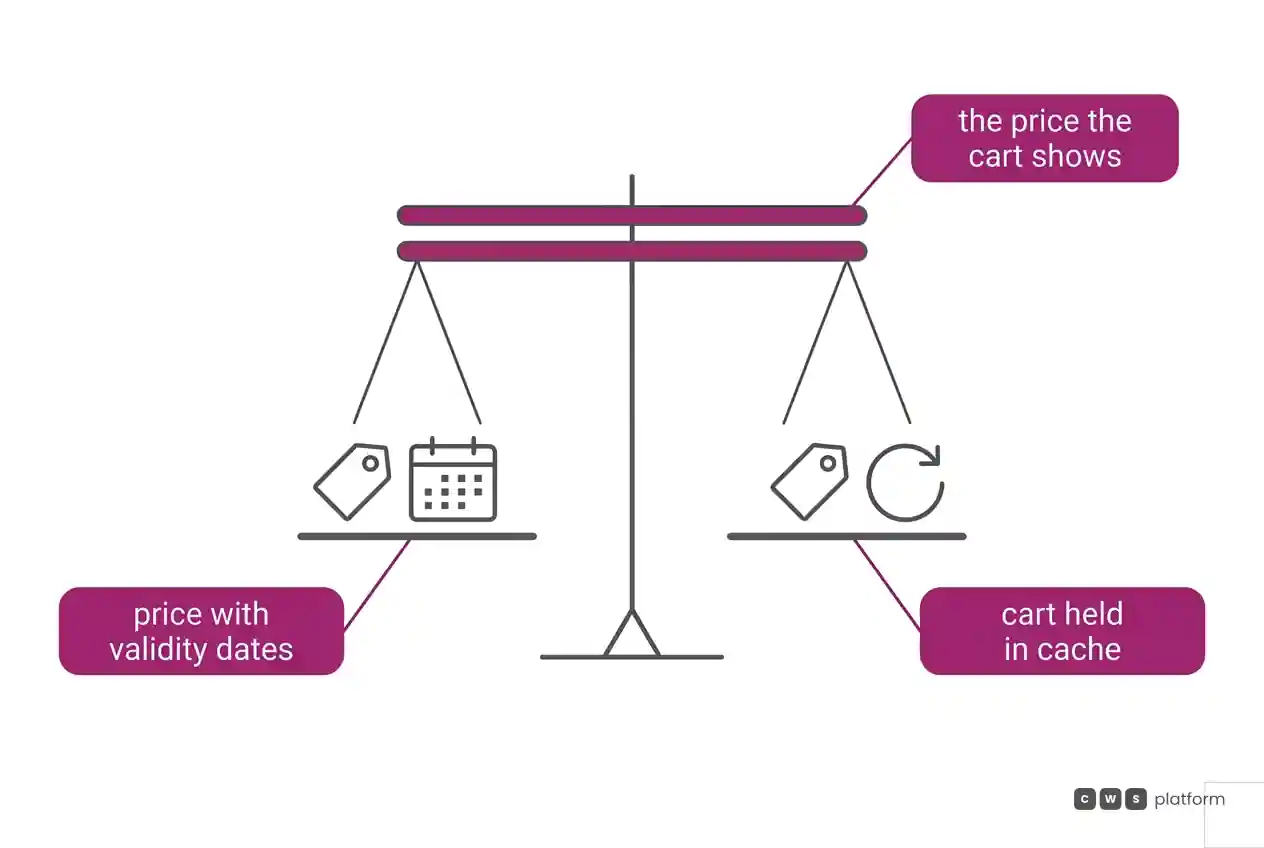
On Adobe Commerce, company-specific pricing comes from shared catalogs. According to Adobe Commerce's B2B introduction, they apply per-product prices to companies or customer groups, across one or more sites, and require the store to be configured for company accounts. Recorded in Adobe's public issue tracker (the magento/magento2 repository), still open as of November 6, 2026, labeled "Issue: Confirmed": the issue titled "Cart caching problems", opened in March 2016 and labeled "Area: Cart & Checkout" and "Progress: dev in progress" (issue #3625). It is worth asking in the demo what the buyer sees in the cart when their price changes during the session.
Quoting and order approval
On commercetools, according to the Quotes overview, the buyer creates a Quote Request from the cart, the seller sends a binding Quote and, while the quote is pending and within its validity, it can become an order more than once. Approval Rules define criteria by currency, country and order total and name requesters and approvers by role. Recorded in commercetools' documentation, accessed on October 16, 2026: "With up to five levels per Approval Rule, an Order can pass through a maximum of five sequential approval stages." (Associates overview). It is worth bringing your company's approval policy to the demo, stage by stage.
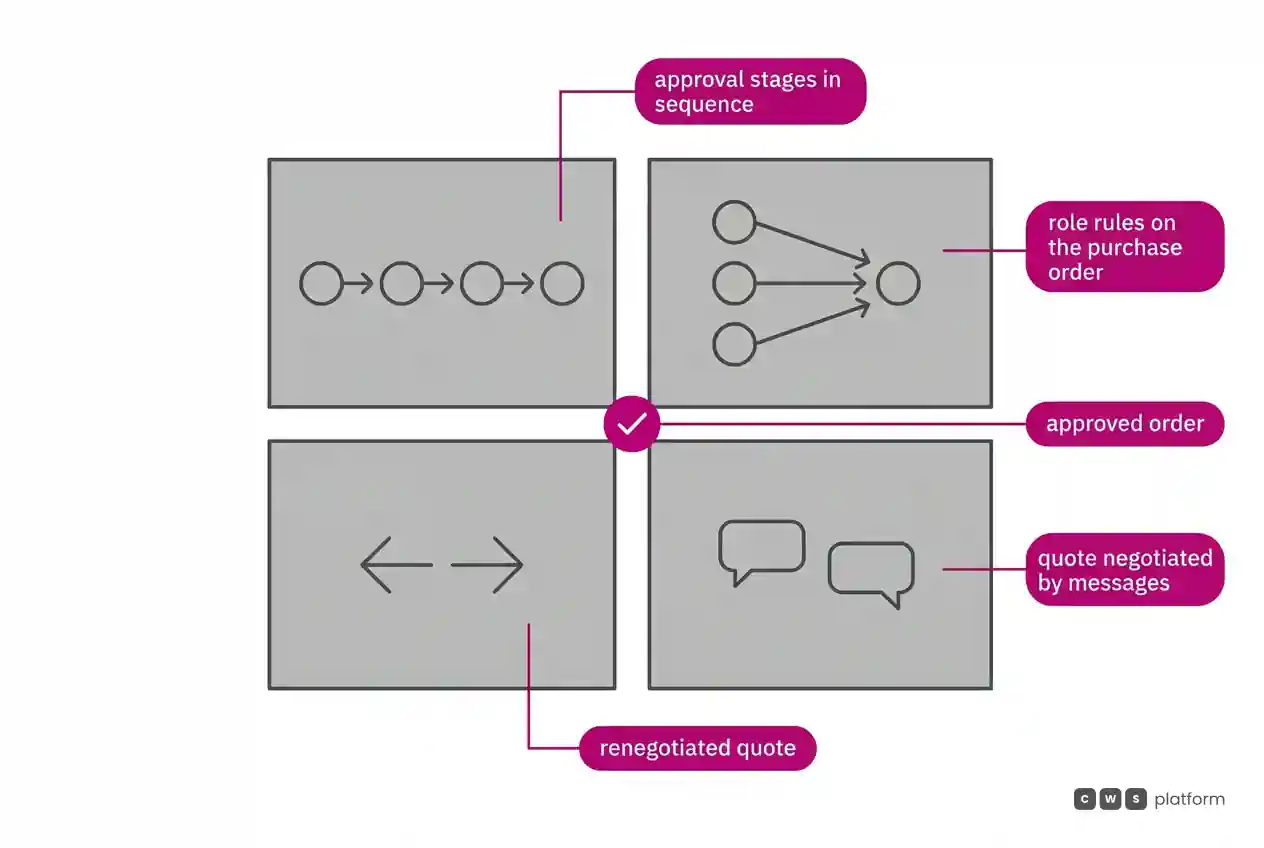
On Adobe Commerce, according to the B2B introduction, an authorized buyer opens a quote from the cart and a seller from the Admin; both change items and quantities, request and apply discounts, and exchange messages until they agree. With purchase orders enabled for a company, every order is created as a purchase order and can go through multiple approval rules, depending on the buyer's role and the order.
ERP integration and order lookup
On commercetools, according to the Orders reference, an order is created from the cart and can be read by ID or order number; changes that affect the amount after checkout go through Order Edits, which stages the actions and shows a preview before applying them. Recorded in commercetools' documentation, accessed on October 16, 2026: "Only Orders from the last 3 months are indexed and can be retrieved." and "The Order Search API is automatically deactivated for a Project if there have been no calls to the Search Orders endpoint in the last 30 days." (Order Search reference). Per the same page, search is deactivated by default and returns only IDs and versions. It is worth asking in the demo where your team will look up last year's order: in the ERP, through the Orders API or in a store the project maintains.
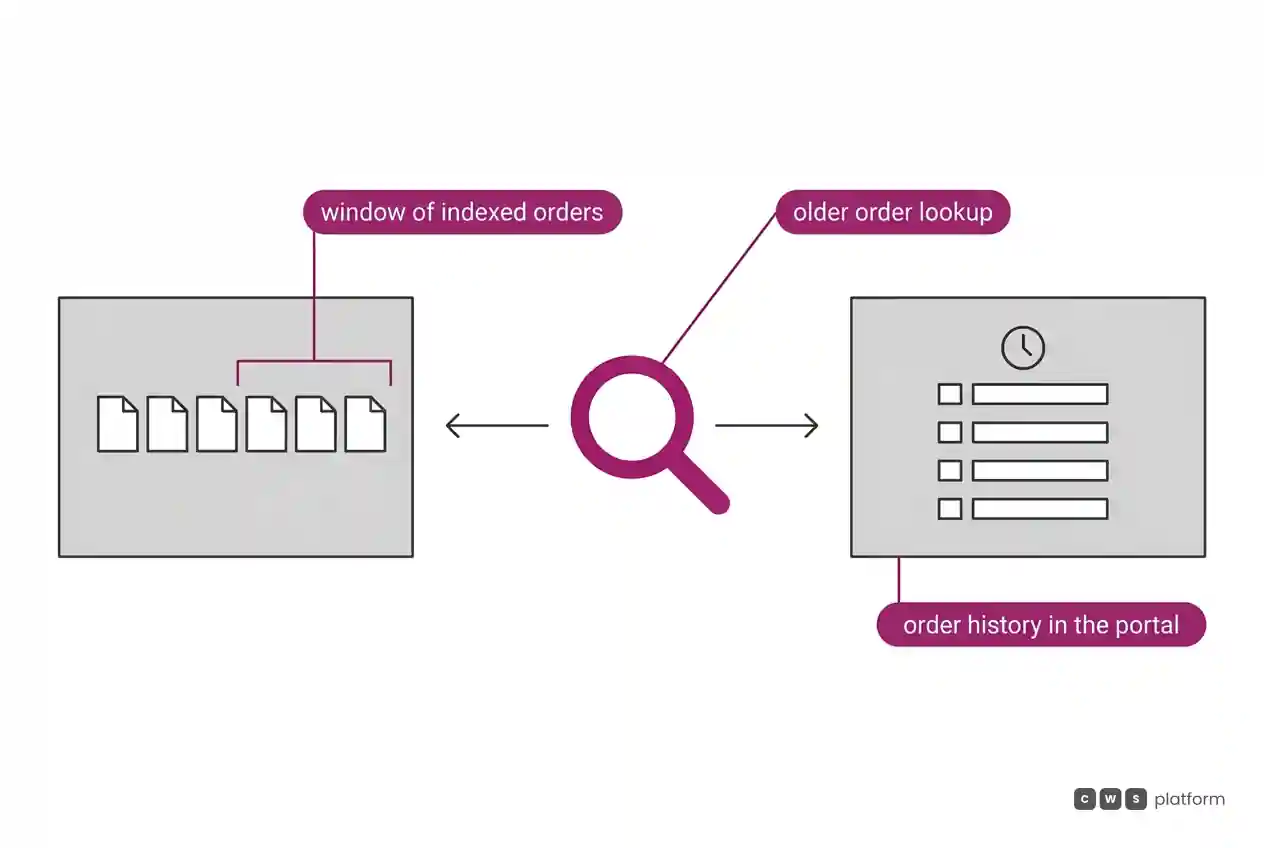
On Adobe Commerce, according to Adobe's composable commerce overview, App Builder creates custom services and API Mesh combines multiple sources into one GraphQL endpoint. Adobe Commerce's offerings page lists webhooks, events and starter kits for back-office, payment, tax and shipping integrations, plus a predefined IBM Sterling Order Management integration as an add-on. On the buyer side, Adobe Commerce's B2B page describes a portal with quote and order history, invoices and shipment tracking.
Cost and billing model: what operations absorbs
On commercetools, the B2B Commerce package includes the Merchant Center interfaces and REST and GraphQL access. The Merchant Center order list lets your team create an order manually, by SKU. The B2B storefront template, if adopted, is copied into the project and maintained by your team; in the proposal, it is worth asking which buyer screens come ready and which the project builds.
On Adobe Commerce, the offerings page describes a core with inventory, orders, payments, tax and shipping, and B2B with company accounts, approvals, quotes and payment on credit. The cost operations absorbs depends on the deployment option; for the managed service, the service description provides a base package with assigned engineers and consumption allowances in the sales order.
The billing basis of each license is outside this comparison. In the proposal, one question applies to both: what is in the base contract and what is an add-on, including order management, environments and support?
Implementation and maintenance: who applies the fix
On Adobe Commerce, the offerings page states that multi-tenant SaaS receives automatic security and feature updates, while PaaS runs on dedicated infrastructure. Under the managed service responsibility matrix, Adobe owns network, operating system maintenance and the web application firewall, and the customer owns custom code. Recorded by Adobe in security bulletin APSB26-146, on a page dated September 7, 2026: the fix it published addresses a critical vulnerability that was already "being exploited in the wild" (APSB26-146 bulletin). It is worth asking in the demo who applies a fix like that under each deployment option, and how fast.
On commercetools, the B2B storefront template, if adopted, is copied into the customer's repository and maintained by the developer, according to the launchpads overview. Fixing that code is the project team's job.
When to choose commercetools
Approval built around company rules. Approval Rules combine order criteria with requesters and approvers by role and can be inherited by child units.
Approval flows that start on their own. Per the Approval Flows reference, a flow is created when an order matches an active rule and tracks who still has to approve at each level.
Order corrections with a preview. Order Edits stages amount changes after checkout and shows the result before applying it.
Sales reps inside the cart. Assisted Selling lets the rep take over and lock the customer's cart and hand it back for the buyer to complete.
When to choose Adobe Commerce
Company accounts with divisions and roles. Per the B2B introduction, the company administrator sets up divisions, subdivisions and users, with permissions for ordering, quoting, purchasing and credit.
Buyers who serve themselves. Adobe Commerce's B2B page describes around-the-clock access to track shipments, check quotes and orders, view invoices, monitor credit and request returns.
Cloud operations handed to Adobe. The managed service adds an application SLA to the infrastructure SLA and provides a 15-minute response to P1 incidents.
Payments and orders in one panel. Payment Services brings payment and order data from every storefront into the Commerce panel, with refunds and financial reports.
When neither fits
There is a third model, described in our post on the three B2B commerce platform models: neither assembling order operations from API resources nor extending a complete storefront with B2B, but moving commercial rules and order operations into the platform.
That is the CWS Platform model. Commercial policy is stored as parameters in the CDL Workspace: configuration instead of code. Customer and sales rep work on the same order, and the order records who built the cart and who chose the payment method. Sales rep discounts go through tiered approval, and each customer's credit limit is maintained in the platform. Every customer runs the same version. It has 11 modules, 6 AI Agents and 1,029 parameters.
To read each vendor against that model, there are two comparisons: commercetools vs CWS Platform: B2B order approval workflows and Adobe Commerce vs CWS Platform: end of life and architecture.
If neither way of running the order fits your team, it is worth talking to a CWS Platform specialist before you choose.
Frequently asked questions
commercetools vs Magento: which is better for B2B?
It depends on how operations wants to run the order: commercetools fits teams that want approval, quoting and order editing as API resources and want to build the buyer experience on top of the APIs. Magento, as Adobe Commerce, fits teams that want a ready B2B extension on a complete storefront, with company accounts, purchase orders and a self-service portal.
How does each handle order approval?
On commercetools, Approval Rules define criteria by currency, country and amount, with requesters and approvers by role, and an Approval Flow starts when an order matches an active rule. On Adobe Commerce, with purchase orders enabled for the company, every order is created as a purchase order and can go through the approval rules according to role and order.
Where does the operations team look up older orders?
On commercetools, an order can be read through the Orders API by ID or number, and the documentation records that Order Search indexes only orders from the last 3 months. On Adobe Commerce, the buyer sees order and quote history in the portal, and Payment Services brings payments, orders and invoices together in the Commerce panel.
Which requires more care with fixes and versions?
Both call for attention, in different places. On Adobe Commerce, Adobe recorded in bulletin APSB26-146 a fix for a vulnerability already being exploited, and who applies it depends on the deployment option: SaaS receives automatic updates, and under the managed service the matrix splits responsibility between Adobe and the customer. On commercetools, the storefront template copied into the project is maintained by your team, and the documentation records that Order Search is deactivated after 30 days without calls.
Read next
Brands mentioned in this article

 Magento
- Adobe Commerce
- OroCommerce
Trademarks and logos belong to their respective owners. Mention does not imply partnership or endorsement.
"responsive, technically engaged, and willing to work through complex commercial rules (negotiated pricing, credit, customer-specific conditions) rather than pushing generic answers"
Is every order costing your operation more?
Request an assessment of your operation or talk straight to a specialist, whichever you prefer.
I'd rather get the next articles on the cost of each order
A weekly roundup of new articles on the cost of each order, only in weeks when there is one. No spam, and you can leave in one click.