Accounts Inactive on Your B2B Portal: How to Win Them Back Without Draining Sales Reps
Diagnose whether an account stopped buying or simply reverted to offline reps, then clear the friction blocking self-service adoption.

TL;DR
- When an account stops ordering through a B2B portal, they rarely stopped buying altogether. Most of the time, they went back to ordering through an outside rep, called inside sales, or switched to another distributor, and the root cause usually comes down to a concrete friction point: login credentials, pricing, catalog availability, credit terms, or freight.
- Reactivation begins with an account-level diagnostic, not a blast campaign sent to everyone. A generic blast reaches some accounts too early, others too late, and carries the wrong offer for almost all of them.
- A routine that works follows four steps: prioritize the accounts, identify the friction point for each one, assign clear ownership for the fix, and measure the return.
- The operating cadence is simple: a weekly review of accounts inactive on the portal, backed by confirmed reasons and assigned next steps.
To reactivate accounts that stopped purchasing through your B2B ecommerce portal, treat the drop-off as an account-by-account diagnostic. Separate accounts that stopped buying completely from those that simply moved their orders back to manual channels, identify the exact friction point that pushed each buyer away, and establish your rules before sending any outreach: when to follow up, with whom, and under what commercial terms. Your sales reps remain essential, but they cannot be your sole reactivation mechanism: their time is expensive, and your digital platform detects churn signals long before they do.
The warning signs typically appear on your digital dashboard a few months post-launch: active portal accounts plateau, then begin to decline. The immediate reaction is often telling the commercial team to go pull those accounts back. That works for about a week.
Who Stopped Buying vs. Who Switched Channels
The first step is cross-referencing portal activity with your ERP. For every customer that stopped using the portal, you will find one of two scenarios:
- Still buying, but through another channel. They returned to placing orders with outside reps, inside sales desks, or over the phone. You did not lose the account; you lost the digital channel. The root cause is a portal friction point.
- Stopped buying altogether. They show zero order volume across all channels. The cause may be a competitor, pricing pressure, a shift in the buyer's business, or a service breakdown.
These two situations demand completely different playbooks. Blending them into a single email campaign is the most common mistake in B2B reactivation.
Common Friction Points That Drive Buyers Away
Across wholesale distribution and manufacturing rollouts, the same issues surface repeatedly:
- Access. Lost passwords, an authorized buyer who left the company, or a new branch location that was never provisioned with credentials.
- Pricing. Portal pricing falls out of sync with contract rates or what the sales rep quotes, teaching the buyer that picking up the phone secures a better deal. We explore this dynamic in channel conflict in B2B.
- Catalog and Inventory. The buyer cannot find the right SKU, or the catalog shows out of stock when physical inventory is available in the warehouse.
- Credit Limits and Terms. The order gets blocked at checkout due to a credit hold or trade credit cap, with no clear explanation or path forward.
- Freight or Order Minimums. Shipping rules or order minimum thresholds changed, making small reorders cost-prohibitive on the web.
Each breakdown requires a different internal owner, and none of them can be solved with a generic "we miss you" email.
The Four-Step Reactivation Playbook
1. Prioritize the accounts. Rank inactive portal accounts by historical spend and days since their last digital transaction. Focus first on high-volume accounts that cooled down most recently.
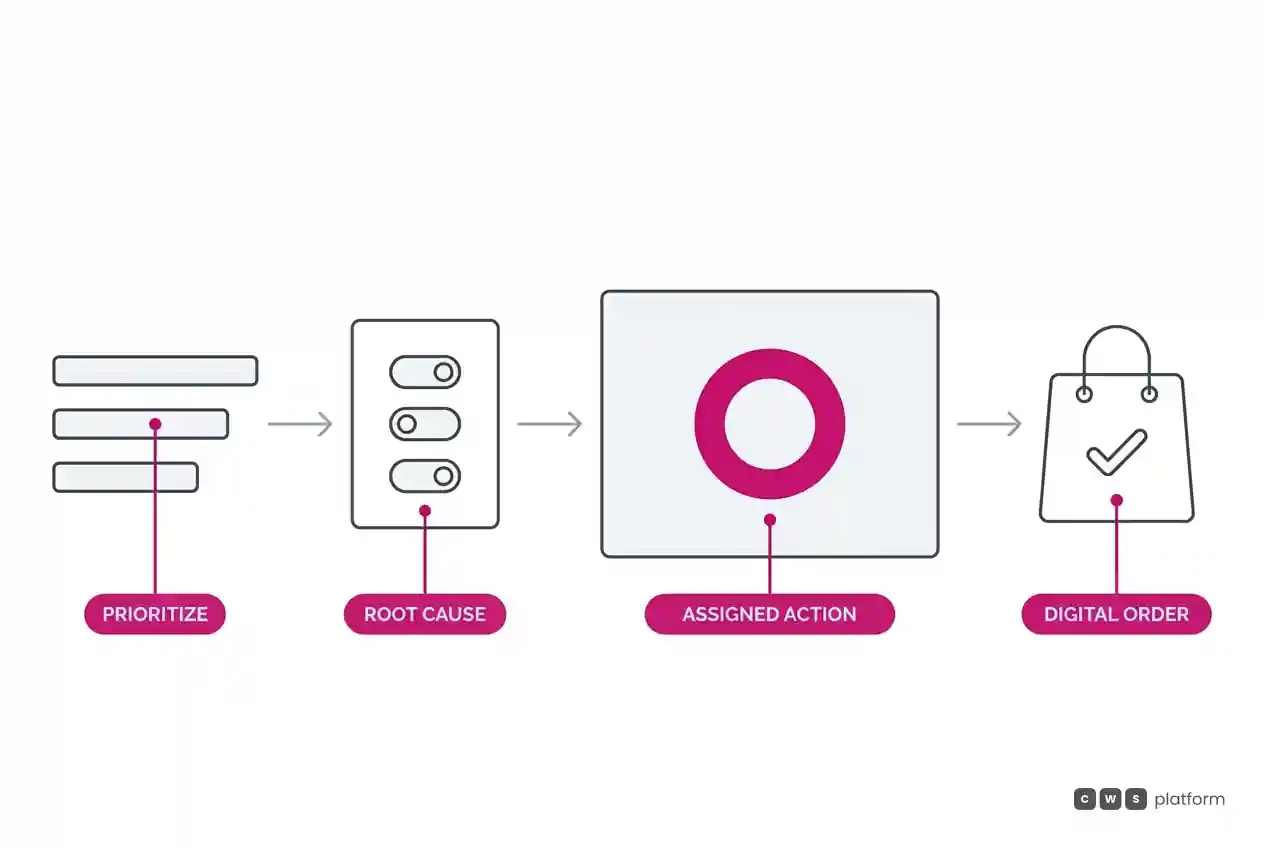
2. Identify the friction point. Review historical data for each account, including last login date, zero-result search queries, abandoned carts, or sudden pricing discrepancies, then confirm the root cause via a brief touchpoint. Record the verified reason directly in your CRM or account record.
3. Assign ownership and remediation. Login access belongs to customer support. Contract pricing belongs to commercial sales. Catalog search and SKU setups belong to catalog ops. Credit line issues belong to credit and finance. Every action item must have a hard completion date.
4. Measure digital re-engagement. A reactivated account is defined strictly by placed digital orders, not email open rates or clicks.
Set Rules Before Triggering Outreach
Whether reactivation outreach runs through automated sequences, direct notifications, or AI sales agents, clear logic must be established before sending a single message:
- When: Trigger outreach based on the individual account reorder cycle, not arbitrary calendar dates. A customer on a 60-day purchasing cadence is not inactive at day 30.
- Who: Limit automated messages to accounts where the barrier is clearly understood, ensuring the copy addresses that specific friction point.
- Commercial terms: If an offer is extended, it must stay strictly within pre-approved margin and pricing governance rules, never as a blanket discount that resets the buyer's baseline price.
Driving top-line growth from dormant accounts using data-driven offers is covered in depth in Trading Desk: incremental revenue through inactive account reactivation.
The Role of the Sales Rep
Sales reps are not cut out of the reactivation process. Instead, they are positioned where they create the most value: on key enterprise accounts, on situations involving customer relationships or competitive threats, and as the direct owner confirming account friction points. The portal handles the scalable heavy lifting: flagging cooling accounts, surfacing likely root causes, and logging completed actions.
A platform architecture that tracks stuck checkouts and surfaces slipping accounts to sales teams is central to the Sales Hub within CWS Platform. For post-launch adoption strategies, read our guide on launching a B2B portal that nobody uses.
Next Steps
Pull a report of accounts that placed web orders last quarter but have zero portal activity this quarter. Cross-check their account IDs in your ERP to see if they are still transacting through outside reps, branch counters, or EDI. Your top twenty revenue accounts still purchasing offline represent your immediate priority list: their friction point lies entirely within the portal experience, making them the fastest to fix.
Frequently Asked Questions
How do you reactivate dormant B2B accounts?
By diagnosing accounts individually: separating accounts that stopped buying entirely from those that simply moved orders to offline channels, pinpointing each friction point, assigning a clear team owner to fix it, and defining success by completed transactions rather than email vanity metrics.
Why do business buyers stop using B2B ecommerce portals?
The most frequent culprits include account credential issues, pricing misalignments compared to rep quotes, unfindable SKUs, false out-of-stock indicators, credit limit holds, and revised freight policies or minimum order requirements.
Do reactivation campaigns work in B2B?
They work when tailored to the account-specific friction point and mapped to that buyer's normal purchasing cadence. Blast campaigns sent to entire lists deliver the wrong offer at the wrong time.
When should a B2B account be considered inactive?
An account should be classified as inactive when days since last order exceed their specific historical purchasing cadence, rather than applying an arbitrary, uniform cutoff across your entire customer base.
Read More
- Low stock on B2B portals: what to show buyers so they don't have to call
- B2B site search: helping buyers find parts using their own terminology
- B2B customer portals and ordering (self-service)
About This Publication
Published by O Custo da Venda, a CWS Platform publication dedicated to digital channel adoption and account reactivation in B2B markets. Does not cite specific client identities or confidential metrics.
"responsive, technically engaged, and willing to work through complex commercial rules (negotiated pricing, credit, customer-specific conditions) rather than pushing generic answers"
Do your customers buy once and disappear?
Request an assessment of your operation or talk straight to a specialist, whichever you prefer.
I'd rather get the next articles on repeat purchases
A weekly roundup of new articles on repeat purchases, only in weeks when there is one. No spam, and you can leave in one click.